Get your NCR Aloha daily sales digest every morning
Every morning, WebRun opens NCR Aloha, pulls yesterday's net sales, covers, average check, and payment-type breakdown, then posts a concise digest to your Slack management channel so leadership has the numbers before the first shift begins.
- No credit card
- Under $0.01 per run
- Cancel anytime
What does WebRun do on every run?
The exact actions WebRun takes, in order - in plain language, so you can adjust anything.
-
WebRun signs in and gets to work
Opens
www.ncrvoyix.comin a real browser with your saved login - no setup, no API keys. -
1
NCR Aloha - pull yesterday's sales totals
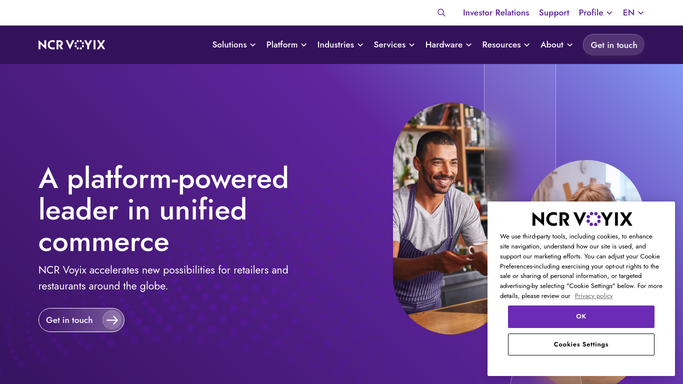
ncrvoyix.com How to Automate NCR Aloha

WebRun opens NCR Aloha to pull yesterday's sales totals. - Open NCR Aloha and navigate to the Sales Summary report for the prior business day
- Capture net sales, gross sales, covers served, average check, and each payment type total
- Note any variance from the same day last week
Done when All key sales figures for yesterday are captured and ready to format.
-
2
Slack - post the morning digest
slack.com How to Automate Slack
WebRun opens Slack to post the morning digest. - Format the figures into a short, readable digest with clear labels
- Post the digest to the designated management Slack channel
- Include the week-over-week variance so trends are visible at a glance
Done when The morning sales digest is live in Slack before the first shift starts.

How do I automatically get my NCR Aloha daily sales in Slack every morning?
WebRun opens NCR Aloha every morning, reads the prior day's Sales Summary report, and posts a concise digest to Slack covering net sales, covers served, average check, and payment-type breakdown with a week-over-week comparison, so your management team has the numbers before the first shift.
- Management sees yesterday's sales in Slack before the first shift, with no manual report-pulling
- Week-over-week variance is visible at a glance every morning
- Every location's numbers reach the right people automatically
Built for restaurant managers · multi-unit restaurant operators · QSR operators · casual dining groups
How is each run configured?
Secure by default
Connect once, stays signed in
WebRun signs in once and keeps each session in a persistent environment, so every run picks up right where it left off.
Every action is checked against this policy before it runs.
Questions, answered
Which NCR Aloha report does it read?
It reads the Sales Summary report in NCR Aloha, the same view your managers check manually, capturing net sales, covers, average check, and payment-type totals for the prior business day.
Can I change which Slack channel receives the digest?
Yes. You specify the target channel during setup, and WebRun posts there every morning. You can point it at a general management channel or a dedicated daily-ops channel.
What if NCR Aloha has not yet closed the previous day when the run fires?
WebRun checks that the business-day close is complete before pulling figures. If the close is still pending, it retries and posts as soon as the data is available.
Related templates
Put this on autopilot.
Turn it on in minutes - or have our team set it up for you.