Turn denied allergy claims into a daily appeal worklist
Every morning, WebRun opens Practice Fusion and finds allergy insurance claims newly denied or rejected since the prior business day, logs each denial to an Airtable worklist with the payer name, denial reason code, and dollar amount, and posts a ranked summary to Slack so the billing team can start appeals immediately.
- No credit card
- Under $0.01 per run
- Cancel anytime
How do I automatically build a denied claim worklist for my allergy clinic every day?
WebRun opens Practice Fusion every morning and captures every allergy insurance claim denied since the prior day, logging each to an Airtable worklist with the payer, reason code, and dollar amount. A Slack summary gives billing staff the total denied value and top items so appeals start the same morning, well before payer deadlines.
- No denial ages past its appeal window undetected
- Billing staff start each day knowing the total denied dollar value and top claims to work
- Auth-related denials are flagged separately so the auth team can act in parallel with billing
Built for allergy and immunology clinics · medical billing staff · revenue cycle managers
What does WebRun do on every run?
The exact actions WebRun takes, in order - in plain language, so you can adjust anything.
-
WebRun signs in and gets to work
Opens
static.practicefusion.com/apps/ehrin a real browser with your saved login - no setup, no API keys. -
1
Practice Fusion - find newly denied or rejected insurance claims
practicefusion.com How to Automate Practice Fusion
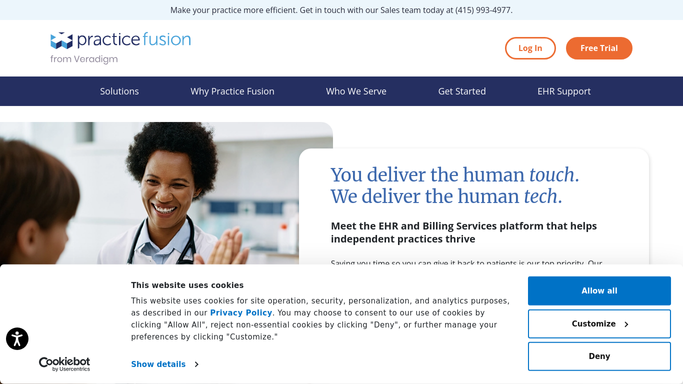
WebRun opens Practice Fusion to find newly denied or rejected insurance claims. - Open Practice Fusion and navigate to the billing and claims section
- Filter for claims with a denied or rejected status updated since the prior business day
- Capture patient name, DOS, payer, procedure codes, denial reason code, and claim dollar amount
- Flag any claims denied for prior authorization issues separately, as these need auth before resubmission
Done when Every newly denied or rejected claim is captured with its reason code and dollar amount.
-
2
Airtable - log each denial with payer, reason code, and amount
airtable.com How to Automate Airtable

WebRun opens Airtable to log each denial with payer, reason code, and amount. - Open the clinic's denied claim worklist Airtable base
- Add a new record for each denial with payer, denial code, DOS, amount, and date discovered
- Set an appeal deadline field based on the payer's appeal window (typically 90 to 180 days from denial)
- Mark claims with auth-related denial codes for a second review step before appeal
Done when All newly denied claims are in Airtable with appeal deadline dates and priority flags.
-
3
Slack - post ranked denied claim summary to billing team
slack.com How to Automate Slack

WebRun opens Slack to post ranked denied claim summary to billing team. - Post a denied claim summary to the billing team Slack channel
- Lead with total denial count and total dollar value denied today
- List the top five denials by dollar amount with payer name and reason code
- Note how many are auth-related and need a separate prior-auth step before resubmission
Done when Billing staff have today's denial summary in Slack and can open Airtable for the full worklist.
How is each run configured?
Secure by default
Connect once, stays signed in
WebRun signs in once and keeps each session in a persistent environment, so every run picks up right where it left off.
Every action is checked against this policy before it runs.
Questions, answered
Will it automatically submit appeals to insurance payers?
No. WebRun surfaces and logs denied claims for billing staff to review. Submitting an appeal involves clinical documentation review and payer portal submission, which must be done by a staff member to ensure accuracy and compliance.
How does it handle claims denied for no prior authorization?
It flags these separately in Airtable because they require obtaining or correcting the authorization before any appeal can succeed. The Slack summary also calls out auth-related denials by count so the authorization team can start on them in parallel.
Can it track denial trends over time for payer negotiation?
Yes. Because every denial is logged in Airtable with payer name, reason code, and date, you can run reports by payer or code at any time to spot patterns and bring data to payer contract conversations.
Related templates
Put this on autopilot.
Turn it on in minutes - or have our team set it up for you.