Track studio revenue
Every morning, WebRun opens Momence, pulls yesterday's revenue totals, new membership sign-ups, and class-pack sales, appends the data to a running Google Sheets log, and posts a concise daily revenue and new-member digest to Slack so your team starts the day with a clear financial picture.
- No credit card
- Under $0.01 per run
- Cancel anytime
How do I automatically get a daily revenue report for my yoga studio?
WebRun opens Momence every morning, pulls total revenue, membership sales, class-pack sales, and new-member counts for the previous day, appends the data to a Google Sheets tracker, and posts a concise daily digest to Slack. The whole team gets the financial picture in one message, with a link to the full log in Sheets.
- The team sees key revenue numbers in Slack every morning without logging into Momence
- Google Sheets builds a running history for trend analysis over time
- New-member counts are tracked daily alongside revenue for a complete growth picture
Built for yoga studio owners · studio managers · multi-location fitness studios · Momence users
What does WebRun do on every run?
The exact actions WebRun takes, in order - in plain language, so you can adjust anything.
-
WebRun signs in and gets to work
Opens
momence.comin a real browser with your saved login - no setup, no API keys. -
1
Momence - pull yesterday revenue and new-member data
momence.com
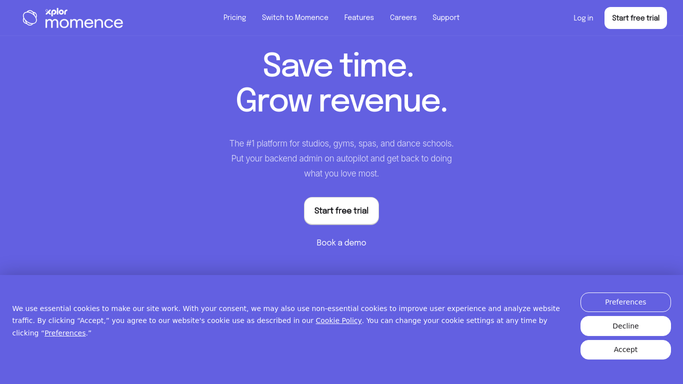
WebRun opens Momence to pull yesterday revenue and new-member data. - Open Momence and navigate to the revenue or sales report for yesterday
- Record total revenue, membership sales, class-pack sales, and drop-in totals
- Note the number of new members who signed up yesterday
Done when Yesterday's revenue breakdown and new-member count are captured in full.
-
2
Google Sheets - log data to running revenue tracker
google.com How to Automate Google Sheets

WebRun opens Google Sheets to log data to running revenue tracker. - Open the studio revenue tracking spreadsheet
- Append a new row for yesterday with date, total revenue, membership revenue, pack revenue, drop-in revenue, and new-member count
- Update any running totals or weekly summary rows
Done when Yesterday's data is logged in the revenue tracker and the sheet is up to date.
-
3
Slack - post daily revenue digest
slack.com How to Automate Slack

WebRun opens Slack to post daily revenue digest. - Post a concise daily digest to the studio channel with yesterday's key numbers
- Include total revenue, new members, and a comparison to the same day last week if available
- Link to the Google Sheets tracker for anyone who wants the full breakdown
Done when The daily revenue digest is posted to Slack and the team has the key numbers.
How is each run configured?
Secure by default
Connect once, stays signed in
WebRun signs in once and keeps each session in a persistent environment, so every run picks up right where it left off.
Every action is checked against this policy before it runs.
Questions, answered
Does it take any action on the revenue data, or just report it?
It only reads and reports. WebRun pulls the numbers from Momence, logs them in Sheets, and posts the digest to Slack. No records are modified and no financial transactions are initiated.
Can I see a week-over-week or month-to-date comparison?
Yes. Because WebRun appends to Google Sheets every day, you build a running history automatically. The Slack digest can include a week-on-week comparison once enough data has accumulated.
What if Momence shows no revenue for a day because the studio was closed?
WebRun still logs the run and records zero values for the day, so your Sheets tracker has no gaps and you can accurately analyse closed-day patterns over time.
Related templates
Put this on autopilot.
Turn it on in minutes - or have our team set it up for you.