Welcome new pet owners the right way
When a new client is added in Digitail, WebRun reads the owner and pet details, drafts a warm welcome email covering what to expect, how to reach the clinic, and how to book the first visit, leaves the draft unsent for the front desk, and posts a Slack note that a new client has joined.
- No credit card
- Under $0.01 per run
- Cancel anytime
How do I send new veterinary clients a welcome email automatically?
When a new client is added in Digitail, WebRun reads the owner and pet details and drafts a warm welcome email in Gmail covering what to expect, how to reach the clinic, and how to book the first visit. It leaves the draft unsent for the front desk and posts a Slack note that a new client has joined.
- Every new client gets a welcome drafted the moment they join
- The front desk reviews and sends instead of writing from scratch
- First impressions stay warm and consistent for every new owner
Built for veterinary clinics · animal hospitals · front desk teams · vet practice managers
What does WebRun do on every run?
The exact actions WebRun takes, in order - in plain language, so you can adjust anything.
-
WebRun signs in and gets to work
Opens
digitail.comin a real browser with your saved login - no setup, no API keys. -
1
Digitail - read the new client record
digitail.com
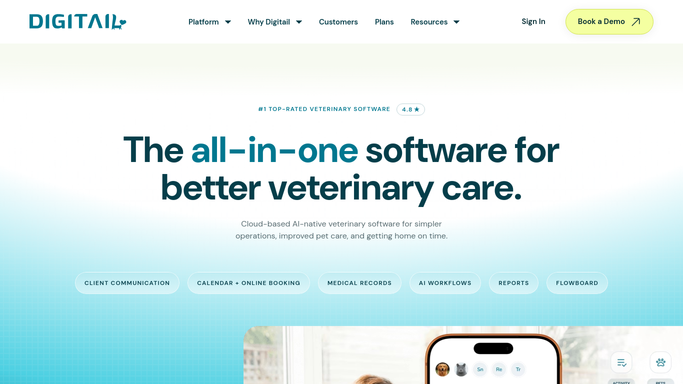
WebRun opens the new client record in Digitail. - Open the newly added client record in Digitail
- Read the owner's name, contact details, and the pet's species, breed, and age
- Note whether a first appointment is already booked
Done when The new client and pet details have been captured from Digitail.
-
2
Gmail - draft the welcome email
gmail.com How to Automate Gmail

WebRun drafts a welcome email for the new owner and leaves it unsent. - Draft a warm welcome to the owner naming them and their pet
- Cover what to expect, clinic hours and contact, and how to book the first visit
- Save the message as a draft and leave it unsent for the front desk to review
Done when A welcome email draft is ready in Gmail for the new client.
-
3
Slack - announce the new client
slack.com How to Automate Slack

WebRun posts a new-client note to Slack. - Post the team a short note that a new client and pet have joined
- Include the pet's name, species, and whether a first visit is booked
- Note that a welcome draft is waiting in Gmail for review
Done when The team has been notified in Slack that a new client joined.
How is each run configured?
Secure by default
Connect once, stays signed in
WebRun signs in once and keeps each session in a persistent environment, so every run picks up right where it left off.
Every action is checked against this policy before it runs.
Questions, answered
Will it email new clients on its own?
No. WebRun drafts the welcome email in Gmail and leaves it unsent. The front desk reviews and personalises it before sending, so no new owner is contacted without a person approving the message first.
What triggers the welcome?
Each time a new client is added in Digitail, WebRun reads the owner and pet details and drafts a welcome. It runs per new record, so every new client gets a draft ready without anyone remembering to start one.
What does the welcome cover?
Each draft names the owner and pet and covers what to expect, clinic hours and contact details, and how to book the first visit. Share a sample and WebRun matches your clinic's tone and onboarding details.
Related templates
Put this on autopilot.
Turn it on in minutes - or have our team set it up for you.