Collect grip sock counts and prep them on each order
Every morning, WebRun opens Wakesys, reads each upcoming booking's jumper count, works out how many grip socks are needed against what is already on the order, logs the gap to a Google Sheet, and drafts a Gmail note for staff to confirm the add-on with the guest before it is applied.
- No credit card
- Under $0.01 per run
- Cancel anytime
How do I prep grip sock add-ons for trampoline park bookings automatically?
WebRun opens Wakesys each morning, reads each booking's jumper count, and works out how many grip socks are still needed against the current order. It logs the shortfall to a Google Sheet with a daily total and drafts a Gmail note for staff to confirm the add-on with the guest, so nothing is charged unapproved.
- Counter is stocked with the right grip sock count each day
- Add-ons are confirmed by the guest before any charge
- Bookings already covered are skipped from the shortfall
Built for trampoline parks · jump parks · family entertainment centers · indoor activity parks
What does WebRun do on every run?
The exact actions WebRun takes, in order - in plain language, so you can adjust anything.
-
WebRun signs in and gets to work
Opens
www.wakesys.comin a real browser with your saved login - no setup, no API keys. -
1
Wakesys - read jumper counts and current add-ons
wakesys.com How to Automate Wakesys
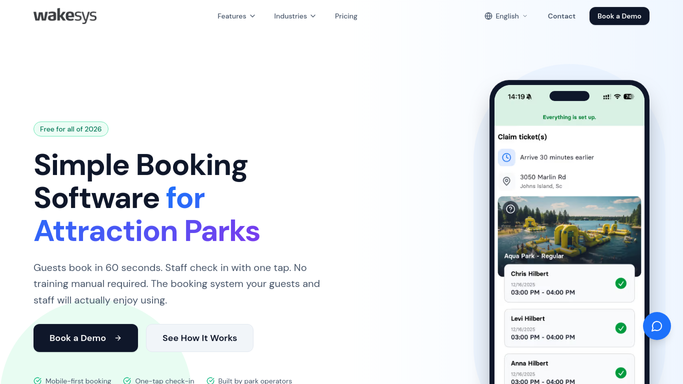
WebRun opens Wakesys to read jumper counts and grip sock add-ons. - Open Wakesys and load bookings for the next two days
- Read the jumper count on each booking and any grip socks already added to the order
- Work out the shortfall: jumpers with no grip socks yet on the order
Done when Every upcoming booking has a known grip sock shortfall.
-
2
Google Sheets - log the grip sock gap per booking
google.com How to Automate Google Sheets

WebRun logs the grip sock shortfall to a Google Sheet. - Open the grip sock prep sheet and add a row per booking with the shortfall
- Record the guest name, session time, jumper count, socks already ordered, and socks needed
- Total the socks needed by day so staff can stock the counter
Done when The sheet shows the grip sock shortfall per booking and a daily total.
-
3
Gmail - draft the add-on confirmation note
gmail.com How to Automate Gmail

WebRun drafts the grip sock add-on confirmation in Gmail, unsent. - Draft a short Gmail note for each booking asking the guest to confirm adding the needed grip socks
- State the count and price so the guest can approve or decline
- Save every note as a draft, left unsent so staff apply the add-on only after the guest confirms
Done when A ready-to-send confirmation draft exists in Gmail for every booking with a shortfall.
How is each run configured?
Secure by default
Connect once, stays signed in
WebRun signs in once and keeps each session in a persistent environment, so every run picks up right where it left off.
Every action is checked against this policy before it runs.
Questions, answered
Does it add grip socks to the order or charge the guest automatically?
No. It only prepares the add-on and drafts a confirmation note in Gmail. Staff apply the socks to the Wakesys order and take payment after the guest confirms, so nothing is charged without approval.
How does it know how many socks are needed?
It reads the jumper count on each Wakesys booking and subtracts any grip socks already on the order, so the shortfall matches exactly who still needs a pair.
What if a guest already has their own grip socks?
The Gmail note lets the guest decline, and staff can skip the add-on. Anyone with socks already on the order is left out of the shortfall to begin with.
Related templates
Put this on autopilot.
Turn it on in minutes - or have our team set it up for you.