See your TouchBistro top-selling menu items every week
Every Monday morning, WebRun opens TouchBistro, pulls the prior week's menu-item sales report, ranks items by quantity sold and revenue, identifies slow movers, and posts a top-sellers digest to Slack while logging the full ranked list to Google Sheets for menu planning.
- No credit card
- Under $0.01 per run
- Cancel anytime
How do I get a weekly top-sellers report from TouchBistro automatically?
WebRun opens TouchBistro every Monday, pulls the prior week's menu-item sales ranked by quantity and revenue, logs the full list to Google Sheets for trend tracking, and posts a top-sellers digest to Slack so your team knows what to push and what to reconsider before the week begins.
- Menu planning starts every week with a ranked item list ready in Slack
- Slow movers are visible before they drag down food cost further
- Multi-week history in Sheets supports seasonal menu decisions
Built for restaurant owners · executive chefs · food and beverage managers · hospitality groups
What does WebRun do on every run?
The exact actions WebRun takes, in order - in plain language, so you can adjust anything.
-
WebRun signs in and gets to work
Opens
app.touchbistro.comin a real browser with your saved login - no setup, no API keys. -
1
TouchBistro - pull prior-week menu-item sales
touchbistro.com How to Automate TouchBistro
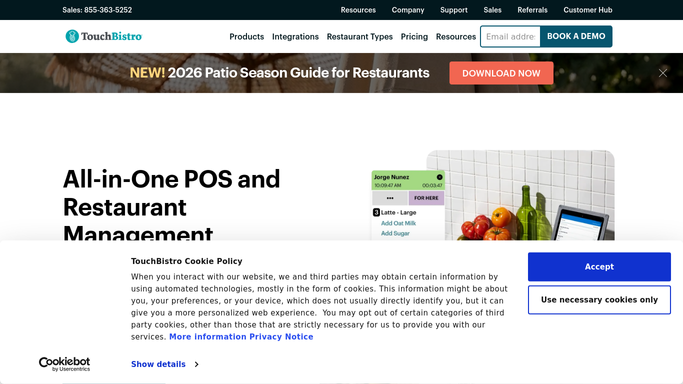
WebRun opens TouchBistro to pull prior-week menu-item sales. - Open TouchBistro Reporting and navigate to the Menu Item Sales report for the prior 7 days
- Capture each item's quantity sold, gross sales, and contribution margin where available
- Rank items from highest to lowest by quantity sold
- Note the bottom 10 items by quantity as slow movers
Done when Full ranked menu-item list with quantities and revenue is ready.
-
2
Google Sheets - log full ranked item list
google.com How to Automate Google Sheets

WebRun opens Google Sheets to log full ranked item list. - Append the full ranked item list to the weekly sales log sheet with the week-ending date
- Highlight the top 10 and bottom 10 items in separate colour bands for easy scanning
- Preserve prior weeks in the same sheet for trend comparisons
Done when This week's ranked item list is logged alongside prior weeks in Sheets.
-
3
Slack - post top-sellers digest
slack.com How to Automate Slack

WebRun opens Slack to post top-sellers digest. - Post the top 5 items by quantity and top 5 by revenue to the manager channel
- Call out any item that moved from slow to fast or fast to slow versus last week
- Link to the Google Sheets log for the full list
Done when Manager has this week's top-sellers summary in Slack with a link to the full report.
How is each run configured?
Secure by default
Connect once, stays signed in
WebRun signs in once and keeps each session in a persistent environment, so every run picks up right where it left off.
Every action is checked against this policy before it runs.
Questions, answered
Can it show revenue as well as quantity sold?
Yes. WebRun captures both quantity sold and gross sales for every item from TouchBistro Reporting and includes both in the Slack summary and the Sheets log.
How many weeks of history does it keep in Google Sheets?
It appends a new block of rows each Monday indefinitely, so your history grows week over week for as long as you keep the sheet. You can filter or chart any range you like.
Can it flag items that should be 86'd based on slow sales?
It highlights the bottom 10 items automatically each week. Decisions on removing or promoting items stay with your team: WebRun surfaces the data, your chef or manager decides.
Related templates
Put this on autopilot.
Turn it on in minutes - or have our team set it up for you.