Alert your team when menu items are low or 86'd in TouchBistro
Throughout service, WebRun checks TouchBistro inventory levels every few minutes, catches any item that has dropped below your low-stock threshold or been marked 86, logs it to Google Sheets, and fires a Telegram alert to your kitchen and floor managers so action happens before a guest orders something unavailable.
- No credit card
- Under $0.01 per run
- Cancel anytime
How do I get instant alerts when menu items are low or 86'd in TouchBistro?
WebRun checks TouchBistro inventory levels every few minutes during service, catches any item that drops below your low-stock threshold or gets marked 86, logs the event to Google Sheets with a timestamp, and fires an instant Telegram alert to your kitchen and floor managers before a guest orders something unavailable.
- Kitchen and floor managers know about low stock before a guest orders it
- 86 events are logged with timestamps for post-service inventory review
- Alert cooldown prevents notification fatigue during busy service
Built for restaurant managers · head chefs · kitchen managers · bar operators
What does WebRun do on every run?
The exact actions WebRun takes, in order - in plain language, so you can adjust anything.
-
WebRun signs in and gets to work
Opens
app.touchbistro.comin a real browser with your saved login - no setup, no API keys. -
1
TouchBistro - check inventory levels and 86 status
touchbistro.com How to Automate TouchBistro
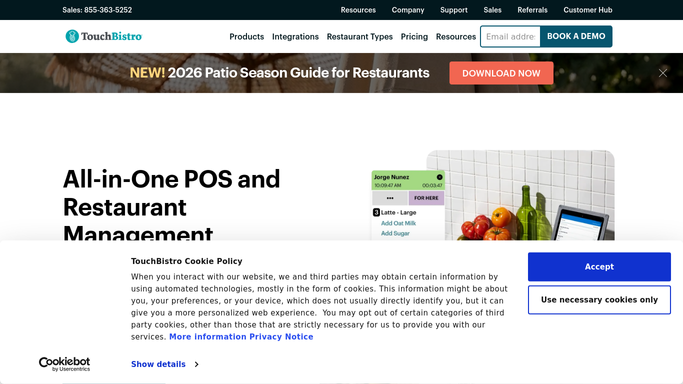
WebRun opens TouchBistro to check inventory levels and 86 status. - Open TouchBistro inventory and scan current stock levels for all tracked menu items
- Identify any item at or below your configured low-stock threshold
- Identify any item currently marked as 86 in the system
- Skip items already alerted within the last alert-cooldown window to avoid repeat pings
Done when All newly low-stock or newly 86'd items are identified since the last check.
-
2
Google Sheets - log low-stock and 86 events with timestamp
google.com How to Automate Google Sheets

WebRun opens Google Sheets to log low-stock and 86 events with timestamp. - Append a row for each newly flagged item with item name, current stock, threshold, timestamp, and status
- Mark 86 events separately from low-stock events for easy filtering
- Keep the log for end-of-week inventory review
Done when Each flagged item has a timestamped row in the Sheets log.
-
3
Telegram - alert kitchen and floor managers instantly
telegram.org How to Automate Telegram

WebRun opens Telegram to alert kitchen and floor managers instantly. - Send a Telegram message to your kitchen and floor manager group with the item name and its status
- Use clear short text so the alert reads cleanly on a phone mid-service
- No action taken in TouchBistro: the team decides whether to reorder, substitute, or update the board
Done when Kitchen and floor managers have received an instant alert for every newly low or 86'd item.
How is each run configured?
Secure by default
Connect once, stays signed in
WebRun signs in once and keeps each session in a persistent environment, so every run picks up right where it left off.
Every action is checked against this policy before it runs.
Questions, answered
How often does it check the inventory?
Every few minutes throughout service. You can set a wider or tighter interval during setup, and restrict the active hours so it does not ping your team at 3 AM.
Will the same item trigger repeated alerts?
No. WebRun tracks which items have already been alerted and waits for a cooldown period before sending another notification for the same item, so your team is not flooded.
Can it automatically mark an item 86 in TouchBistro?
No. WebRun reads the inventory and sends alerts, but all changes to item availability in TouchBistro are made by your staff. Keeping humans in the loop avoids accidental auto-86s during a rush.
Related templates
Put this on autopilot.
Turn it on in minutes - or have our team set it up for you.