How to Automate TouchBistro
TouchBistro automates the service itself: floor plans and tableside ordering, kitchen tickets, staff scheduling and more than fifty cloud reports. What it cannot open is the delivery marketplace back office, the produce supplier's ordering site or the bank. That outside round is the part an agent like WebRun takes over.
 Written by
Nora Whitfield
Editorial lead
Written by
Nora Whitfield
Editorial lead
 Reviewed by
Sofia Marchetti
Marketing operations
Reviewed by
Sofia Marchetti
Marketing operations
The terminal is the only thing that saw the whole service
TouchBistro is a point of sale built for restaurants and nothing else, running on iPads at the pass and in servers' hands. It carries the floor plan, the menu, every ticket and the staff who worked them.
That makes it the only complete account of a night. It knows the table that sat at seven and left at nine, which server took it, what got 86'd at eight, which two dishes came back, how long the pass ran behind at the peak, and what the check average did on a Friday against last Friday.
Nothing else in the building knows all of that. The chef knows the kitchen. The manager knows the room. The accountant sees a number a month later. The terminal saw the lot, at the moment it happened, one ticket at a time, which is why the closing report is the thing everybody argues with in the morning.
The paperwork starts after the last table leaves
Service ends and a second job starts, usually done by whoever is locking the door.
The delivery tablets on the end of the counter each have their own back office, and each one has to be opened to see which orders were refunded, which were marked never delivered, and what has quietly come off Friday's payout. The produce order goes in on the supplier's own site, from a count somebody did in the walk-in on their phone. The beer invoice is a PDF in an email that has to be found before the bookkeeper asks twice. The card batch has to be compared with what actually reached the account. Somebody answers a review about a table the manager on tonight never worked.
None of it is difficult and none of it takes long on its own. All of it happens between eleven and one, after twelve hours on the floor, which is why it slides to the weekend.
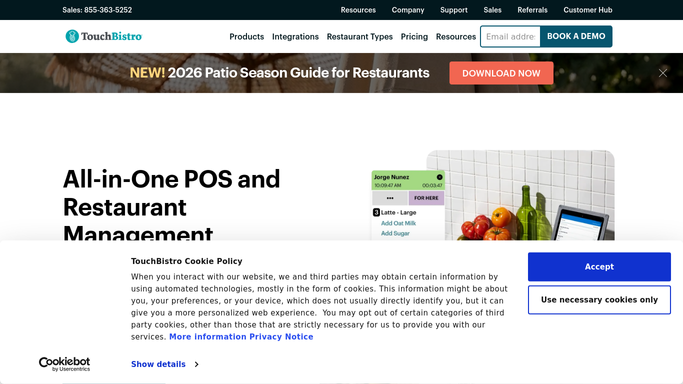
TouchBistro automates service, not the suppliers behind it
The system covers the operating side thoroughly, and a restaurant using it as a till alone is leaving most of what it pays for switched off.
Floor Plan and Table Management holds the sections and the covers. Tableside Ordering fires the ticket from the table, and the Kitchen Display System puts it on a screen at the pass instead of a printer. Menu Management changes a price everywhere at once. Inventory Management follows what leaves the walk-in, and Profit Management puts costs against it. Labor Management handles the schedule and watches hours. Reporting and Analytics gives more than fifty cloud reports you can read at home. On the guest side there are Reservations, Loyalty, Gift Cards, Online Ordering and a Marketing tool, plus connections to the names a restaurant already runs, among them 7shifts, DoorDash, Deliverect, QuickBooks and UrbanPiper.
That list has a shape to it. Everything on it either happens inside the four walls or travels through a partner TouchBistro has already built a connection to.
The produce supplier's ordering site is on neither list. Neither is the regional delivery app nobody has integrated, the bank, the landlord's portal or the licensing authority. Each of those has a login and a screen with the answer on it, and a login is where the automation stops.
Tomorrow's ordering can be written from tonight's sales
What the terminal recorded tonight can be on the supplier's site before the kitchen opens.
Last night's covers and menu mix become a draft order on each supplier's site, sized to what actually sold. The gin that went low at nine is a line on tomorrow's list rather than a problem discovered at eight on Saturday.
Each delivery marketplace gets opened and read, so the week's refunds and adjustments sit in one list beside the tickets they belong to and the payout can be argued with while the evidence still exists. The card batch gets checked against the bank, so a settlement that never arrived is a Tuesday question rather than a month-end mystery.
A guest leaves two stars at midnight about a Thursday table. The reply can be waiting in the morning with the ticket, the server and the timings attached, so the manager spends two minutes on it instead of twenty.
Keep the boundary where the guest is. Counting, comparing and drafting an order to a supplier you buy from every week can run unattended quite safely. Anything that speaks to a guest, or commits real money to a pallet of produce, should be prepared and read by a person first.
The closing routine can end when the door locks
Eight sites get opened and read after service, by somebody who has already worked a double. Reading them is not where the skill in a restaurant lives.
WebRun is an AI agent that works a real Chrome browser, signed in as you. It opens the delivery back office, the supplier's ordering site or the bank, reads what is there, and puts it next to what TouchBistro recorded, with the differences named.
It runs on your schedule in your own private environment. You can watch a run and stop it mid-way, and anything that reaches a guest or commits money is drafted and waits.
The workflows below are already built, and each one names the sites it signs into.
Questions people ask
Our POS runs on iPads. How would a browser agent read it?
Through the cloud reporting. TouchBistro's reports are cloud-based and open in a browser from anywhere, so WebRun signs in the way a manager does from home, reads the night's numbers, and carries them to whatever comes next. It never touches the iPads on the floor.
Can it read the delivery marketplaces we have no integration with?
Yes, and that is usually the reason to run it. Each marketplace back office opens in a browser, so refunds, cancellations and payout adjustments can be read off the screen and lined up against your own tickets, integration or not.
Will it send an order to a supplier without me?
No. Orders are built from what sold and left waiting for a person. A produce order that goes in with an extra zero turns up as a pallet on Monday, so the last click stays yours.
24 ready-made TouchBistro workflows
Each one names the apps it touches and the exact steps it takes. Open one to read what it will do, then turn it on.






Want one of these running on your own TouchBistro?
Show WebRun the process once and it will run it on schedule, in your own private browser environment.