Alert managers when labor costs outpace sales in real time
Every morning, WebRun opens TouchBistro, reads the prior day's labor hours, payroll costs, and net sales for each daypart, calculates the labor-to-sales ratio per period, and posts a Slack alert for any daypart where the ratio exceeded your target so managers can adjust staffing today.
- No credit card
- Under $0.01 per run
- Cancel anytime
What does WebRun do on every run?
The exact actions WebRun takes, in order - in plain language, so you can adjust anything.
-
WebRun signs in and gets to work
Opens
cloud.touchbistro.comin a real browser with your saved login - no setup, no API keys. -
1
TouchBistro - read labor hours and sales by daypart
touchbistro.com How to Automate TouchBistro

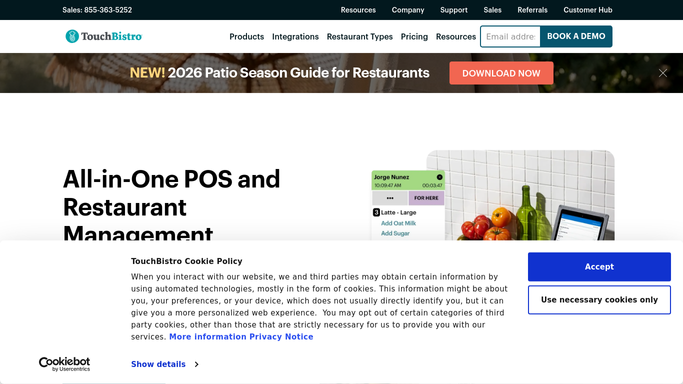
WebRun opens TouchBistro to read labor hours and sales by daypart. - Open TouchBistro Cloud and go to the Labor Report
- Read total labor hours and estimated cost per daypart for yesterday
- Open the Sales Summary report and capture net sales per matching daypart
- Calculate labor cost as a percentage of net sales for each daypart
- Flag any daypart where the percentage exceeded the owner's set target
Done when Yesterday's labor-to-sales ratio is calculated for all dayparts and breaches are identified.
-
2
Slack - post labor-vs-sales ratio alert
slack.com How to Automate Slack
WebRun opens Slack to post labor-vs-sales ratio alert. - Compose a short message listing each daypart's ratio and the target
- Highlight any daypart that breached the target with the actual vs. target figures
- Post to the manager Slack channel so staffing adjustments can be made today
Done when The labor-vs-sales alert is in Slack before the first manager shift begins.

How do I automatically monitor labor cost versus sales in TouchBistro?
WebRun pulls TouchBistro labor hours and sales totals every morning, calculates the labor-to-sales ratio for each daypart, and posts a Slack alert whenever a period exceeded your target percentage. Managers see exactly which shift ran over budget and can adjust today's staffing before costs compound.
- Over-budget dayparts are caught the morning after, not at month-end
- Managers can adjust today's schedule based on yesterday's ratio
- No manual cross-referencing of labor and sales reports
Built for QSR owners · restaurant general managers · multi-unit operators · franchise area managers
How is each run configured?
Secure by default
Connect once, stays signed in
WebRun signs in once and keeps each session in a persistent environment, so every run picks up right where it left off.
Every action is checked against this policy before it runs.
Questions, answered
Will it automatically change the schedule or send home staff?
No. WebRun surfaces the ratio data in Slack for the manager to act on. Staffing decisions remain fully with your team.
What target ratio does it use?
You set your own target labor percentage during setup, for example 28%. WebRun flags any daypart that exceeded that figure and shows the actual percentage alongside it.
Does it account for different wage rates per staff member?
It reads the labor cost figures directly from TouchBistro's Labor Report, which reflects your staff wages as configured in the POS, so the figures are as accurate as your TouchBistro setup.
Related templates
Put this on autopilot.
Turn it on in minutes - or have our team set it up for you.