See where your infrastructure drifted from the code
Every morning, WebRun opens Terraform Cloud, checks each workspace's latest health assessment for drift, records which resources changed outside Terraform and in which workspace, posts the report to Microsoft Teams, and pings you in Telegram when a production workspace has drifted.
- No credit card
- Under $0.01 per run
- Cancel anytime
How do I get a daily Terraform infrastructure drift report?
WebRun opens Terraform Cloud every morning, reads each workspace's latest health assessment, and records which resources drifted from state because something changed outside Terraform. It posts the per-workspace report to Microsoft Teams and pings Telegram on production drift, so an engineer sees it before the next apply overwrites it.
- Drift is seen in the morning, not during the next apply
- Production workspaces get a separate ping
- Workspaces with no health assessment stop hiding in the clean column
Built for platform engineers · DevOps teams · SRE · cloud infrastructure owners
What does WebRun do on every run?
The exact actions WebRun takes, in order - in plain language, so you can adjust anything.
-
WebRun signs in and gets to work
Opens
app.terraform.io/sessionin a real browser with your saved login - no setup, no API keys. -
1
Terraform Cloud - check workspaces for drift
terraform.io
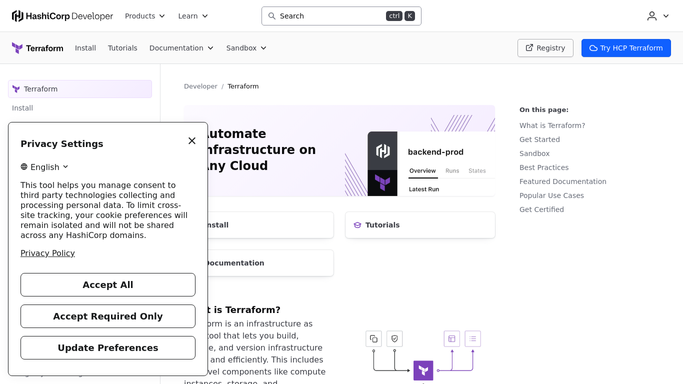
WebRun opens Terraform Cloud to check workspaces for drift. - Open Terraform Cloud and list the workspaces you track
- Read each workspace's latest health assessment and note whether drift was detected
- Capture the drifted resource addresses, the attributes that differ from state, and when the assessment ran
Done when Every tracked workspace has a current drift status and resource list.
-
2
Microsoft Teams - post the drift report
microsoft.com How to Automate Microsoft Teams

WebRun opens Microsoft Teams to post the drift report. - Post the drifted workspaces to your platform channel, production first
- Under each workspace list the drifted resources and the attributes that changed
- Note workspaces where the health assessment is stale or was never enabled
Done when This morning's drift report is in Teams.
-
3
Telegram - ping on production drift
telegram.org How to Automate Telegram

WebRun opens Telegram to ping on production drift. - Send a short message only when a workspace you marked production has drifted
- Name the workspace and the count of drifted resources
- Stay quiet on mornings when nothing production-facing has changed
Done when You have been pinged about production drift, or the run stayed silent.
How is each run configured?
Secure by default
Connect once, stays signed in
WebRun signs in once and keeps each session in a persistent environment, so every run picks up right where it left off.
Every action is checked against this policy before it runs.
Questions, answered
Will it apply a run to fix the drift?
No. WebRun only reads assessments and reports what drifted. Queueing a plan or applying it stays a human action, because an apply can overwrite a deliberate emergency change.
What if a workspace has no health assessment?
It is listed separately as unassessed rather than silently reported as clean, so you can see which workspaces are not being checked for drift at all.
Does it wake me up for every workspace?
No. The full report goes to Teams every morning. Telegram only pings you when a workspace you marked production has drifted, so quiet mornings stay quiet.
Related templates
Put this on autopilot.
Turn it on in minutes - or have our team set it up for you.