Onboard every new creator for you
The moment a new creator is added to your roster, WebRun adds their handles to Sprout Social so their posts can be tracked and approved, creates an onboarding checklist row in Airtable covering the contract, tax form, and payment setup, and drafts a welcome email with the next steps, leaving it for the account manager to review and send.
- No credit card
- Under $0.01 per run
- Cancel anytime
How do I onboard a new influencer or creator without missing paperwork?
WebRun kicks off every new creator onboarding the moment they join your roster. It connects their handles in Sprout Social for tracking, builds an Airtable checklist for the contract, tax form, and payment setup, and drafts a welcome email with next steps, leaving it for the account manager to review and send.
- New creators are tracked in Sprout Social within minutes of signing
- No onboarding step gets skipped because a checklist row already exists
- The first email a creator receives is always reviewed before it sends
Built for influencer marketing agencies · talent managers · social media agencies · creator partnerships teams
What does WebRun do on every run?
The exact actions WebRun takes, in order - in plain language, so you can adjust anything.
-
WebRun signs in and gets to work
Opens
app.sproutsocial.comin a real browser with your saved login - no setup, no API keys. -
1
Sprout Social - add the creator for tracking
sproutsocial.com How to Automate Sprout Social
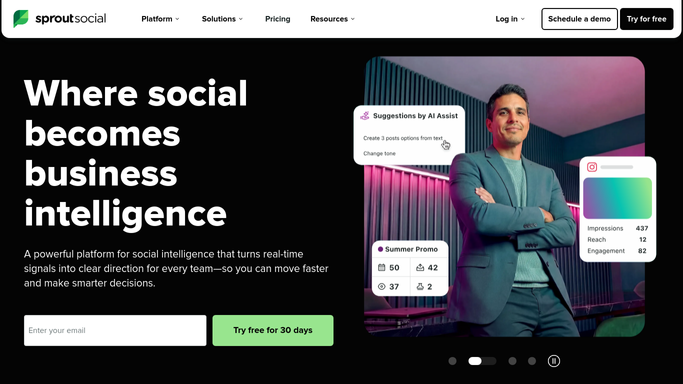
WebRun opens Sprout Social to add the creator for tracking. - Add the new creator's social handles to Sprout Social under the right client group
- Set up mention tracking so their tagged posts appear in reporting
- Confirm the handles are connected and generating data
Done when The creator's handles are tracked and grouped under the right client in Sprout Social.
-
2
Airtable - build the onboarding checklist
airtable.com How to Automate Airtable

WebRun opens Airtable to build the onboarding checklist. - Create a new onboarding row for the creator with the campaign and start date
- Add checklist items for the signed contract, tax form, and payment details
- Mark each item outstanding until your team confirms it is received
Done when A complete onboarding checklist exists for the new creator.
-
3
Gmail - draft the welcome email
gmail.com How to Automate Gmail

WebRun opens Gmail to draft the welcome email. - Draft a welcome email listing the outstanding checklist items and the first deliverable due date
- Include the brand guidelines and posting requirements as an attachment or link
- Leave the email as a draft for the account manager to review and send
Done when A ready-to-send welcome email is drafted for the new creator.
How is each run configured?
Secure by default
Connect once, stays signed in
WebRun signs in once and keeps each session in a persistent environment, so every run picks up right where it left off.
Every action is checked against this policy before it runs.
Questions, answered
Will it email the new creator without review?
No. WebRun drafts the welcome email and leaves it for the account manager to review and send, so the first message a creator gets is always checked by a person first.
Does it collect the creator's tax or payment details itself?
No. It only tracks whether each checklist item, like a W9 or payment form, has been received. Creators submit sensitive details through your own secure form or provider.
What if the same creator works on multiple clients?
It creates a separate tracked entry and checklist per client and campaign, so deliverables and paperwork never get mixed between accounts.
Related templates
Put this on autopilot.
Turn it on in minutes - or have our team set it up for you.