How to Automate Sprout Social
Sprout Social already schedules the posts, routes replies through the Smart Inbox, runs message approvals and builds the reports. The evidence outside the connected profiles is still collected by hand. An agent like WebRun opens the client's analytics, the store, the ad account and the creator's own feed, then assembles the report.
 Written by
Marcus Deleon
Support operations
Written by
Marcus Deleon
Support operations
 Reviewed by
Tom Kessler
Field operations analyst
Reviewed by
Tom Kessler
Field operations analyst
Social stopped being a posting job years ago
Sprout Social is social media management software, used by brand teams and by the agencies that run social on behalf of other people. One login usually covers several networks, several brands and several clients at once.
It exists because social stopped being one person with a phone. A single campaign now carries a content calendar, a list of approvers, a paid budget, an inbox that has to be answered within the hour, a listening brief, reviews landing on three app stores, and a group of creators posting from accounts nobody at the agency controls.
Sprout is where that gets coordinated. The calendar shows what is going out and when, the Smart Inbox pulls messages from every connected profile into one queue, approvals decide what may be published and by whom, and analytics turn all of it into the numbers somebody presents on the last Thursday of the month.
The month ends with somebody rebuilding a deck
The post goes out in a minute. Everything after it is evidence gathering.
So the last week runs like this. Somebody exports engagement from Sprout. Somebody else opens the client's analytics for the traffic it sent, the store for the codes redeemed and the ad account for what the boosting cost. A junior takes screenshots of the best posts because the client's template wants images. The numbers get retyped into a deck that looks like last month's deck.
Beside it runs the campaign admin. Creators to onboard, each with a contract, tax details and a shipping address. Deliverables to check on feeds the agency does not control. Usage windows that started on a date somebody has to establish. Creator invoices to match against what finance actually paid.
None of that is strategy. It is evidence collection, done by hand, every month, forever.
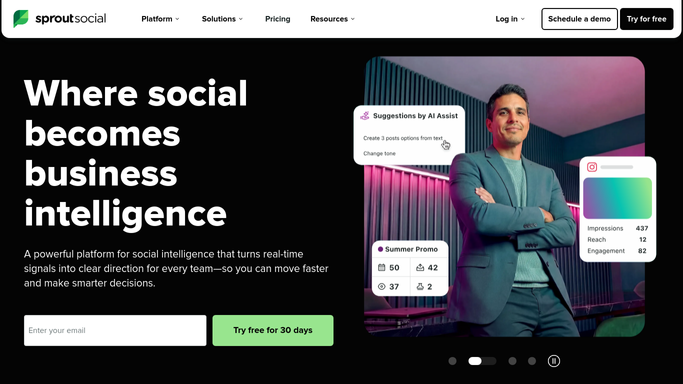
The calendar, the inbox and the reports carry most of the load
Sprout covers a lot of that already, and using it as a scheduler alone leaves the expensive parts switched off.
The Social Media Calendar plans and schedules across profiles and networks at once, with Optimal Send Times working out when an audience is awake and the Asset Library holding what goes out. Message Approval Workflows route a post through internal and external approvers before it can publish, which is what makes client work possible. The Smart Inbox collapses every network's messages into one queue. Listening surfaces conversation the brand was never tagged in, Reviews covers the app stores and business listings, and Analytics turns the lot into reports. An Influencer Marketing product sits alongside it, with creator discovery, Brand Fit Scores and a Creator Hub for submissions and approvals.
What all of those share is the connected profile. Sprout reasons about the accounts attached to it, which is a great deal but not the whole campaign. The proof a client asks for usually lives somewhere else: the website the traffic landed on, the store where the code was redeemed, the ad account holding the spend, the internal dashboard their own team opens instead of yours.
A campaign report that covers what happened off the platform
The report gets more honest the moment it can include the places a post sent people.
Engagement from Sprout set beside sessions from the client's analytics, orders from the store and spend from the ad account, gathered the night before the review call rather than in the two hours before it, with the screenshots the client's template demands taken on the same run.
Creator deliverables checked on the creator's own feed: did the post go up on the agreed day, is the disclosure on it, is it still there a fortnight later. Usage windows dated from the day content actually started running, so a licence about to lapse becomes a calendar item instead of a discovery. Onboarding documents chased where they live, the contract and the tax form tracked to the day each lands.
Mentions collected beyond the networks: a marketplace review page, a forum thread, a newsletter archive, the trade title that wrote about the client on Tuesday. A jump in volume matched to whatever caused it, before a client rings to ask.
Nothing is published, replied to or paid on its own. Drafting is safe. Posting in a brand's name is not.
The screenshotting was never anybody's actual job
Those numbers all exist. They are spread over six dashboards with six logins, and collecting them is the least strategic hour a social team spends.
WebRun is an AI agent that works a real Chrome browser, signed in as you. It opens Sprout, the client's analytics, the ad account, the store or a creator's profile, reads what is on the screen, and assembles the report, the digest or the chase list.
There is no API to arrange and no integration that has to exist first, which matters when half of what a client counts as proof sits in a tool the agency does not own. It runs on your schedule in your own private environment, you can watch a run and stop it, and anything that would post, reply or pay waits for a person.
The workflows below are already built, and each one names the sites it opens.
Questions people ask
Will it post or reply to anyone as the brand?
No. Publishing and replying stay with your team, in Sprout, under the approval rules you already have. Everything here gathers, checks and drafts, so the person who presses publish is doing it with the work already done.
Sprout's approvals already gate every post. Does this sit on top of them?
Alongside them. Sprout's approvals are the right tool for anything moving through Sprout, and they are included. This covers what Sprout cannot see, such as a client approving in their own system or a creator posting from an account you never connected.
Can it pull numbers from a dashboard Sprout Social does not connect to?
Yes, and that is usually the reason to run it. It reads the client's analytics, store or ad account in a browser signed in with your own access, so a dashboard with no export button stops being the reason a report takes two hours.
12 ready-made Sprout Social workflows
Each one names the apps it touches and the exact steps it takes. Open one to read what it will do, then turn it on.








Want one of these running on your own Sprout Social?
Show WebRun the process once and it will run it on schedule, in your own private browser environment.