Chase content calendar approvals for you
Every morning, WebRun opens the Sprout Social content calendar, finds every post still sitting in Needs Approval, pings the assigned internal approver in Slack with the post and its publish date, and drafts a polite nudge email for any client approval running late, leaving it for the account manager to send.
- No credit card
- Under $0.01 per run
- Cancel anytime
What does WebRun do on every run?
The exact actions WebRun takes, in order - in plain language, so you can adjust anything.
-
WebRun signs in and gets to work
Opens
app.sproutsocial.comin a real browser with your saved login - no setup, no API keys. -
1
Sprout Social - find posts waiting on approval
sproutsocial.com How to Automate Sprout Social

WebRun opens Sprout Social to find posts waiting on approval. - Open the Sprout Social content calendar and filter to Needs Approval
- Capture each post's caption, channel, publish date, and assigned approver
- Sort so posts publishing soonest surface first
Done when Every pending approval is listed with its deadline and approver.
-
2
Slack - ping the assigned approver
slack.com How to Automate Slack
WebRun opens Slack to ping the assigned approver. - Post a reminder to each internal approver with a link to the post and its publish date
- Group reminders by client account so nothing gets lost in a busy channel
- Flag anything publishing within 24 hours
Done when Every internal approver has today's reminder in Slack.
-
3
Gmail - draft a client nudge if needed
gmail.com How to Automate Gmail
WebRun opens Gmail to draft a client nudge if needed. - For approvals waiting on a client contact, draft a short and polite nudge email
- Reference the specific post and the original approval request
- Leave the email as a draft in the account manager's inbox for review before sending
Done when A ready-to-send nudge is drafted for every late client approval.
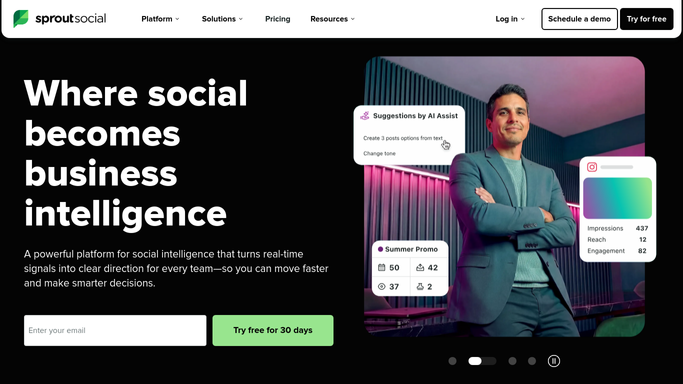


How do I stop content calendar approvals from stalling in Sprout Social?
WebRun clears your Sprout Social content calendar backlog every morning. It finds posts stuck in Needs Approval, pings each assigned approver in Slack with the post and its publish date, and drafts a polite nudge email for any late client sign-off, leaving it for the account manager to send before the post misses its slot.
- Approvals get chased the same morning they stall, not days later
- Every approver gets a direct Slack ping instead of a buried email
- Late client sign-offs get a ready-to-send nudge instead of a forgotten thread
Built for social media agencies · influencer marketing agencies · account managers · content teams
How is each run configured?
Secure by default
Connect once, stays signed in
WebRun signs in once and keeps each session in a persistent environment, so every run picks up right where it left off.
Every action is checked against this policy before it runs.
Questions, answered
Will it email clients without approval?
No. WebRun only drafts the client nudge and leaves it in the account manager's inbox. Nothing goes to a client on its own, only the internal Slack reminder posts automatically.
How does it decide who to remind?
It reads the approver assigned to each post inside Sprout Social, so the reminder reaches the person actually holding up the queue, not the whole team.
What happens once a post is approved?
It reads the live approval status in Sprout Social each morning, so anything approved overnight drops off the next chase list automatically.
Related templates
Put this on autopilot.
Turn it on in minutes - or have our team set it up for you.