Dispatch your crew the moment a storm hits
During an active storm watch, WebRun checks the National Weather Service every 15 minutes, and the moment snowfall or ice crosses your trigger depth, it pulls today's site list and crew assignments from Yeti Software and texts each driver their route by Twilio.
- No credit card
- Under $0.01 per run
- Cancel anytime
How do I automatically dispatch my snow crew when a storm hits?
WebRun watches the National Weather Service every 15 minutes during an active storm watch. The moment snowfall or ice crosses the trigger depth you set, it pulls today's site list and crew assignments from Yeti Software and texts each crew lead their route by Twilio, so plows and salt trucks are moving before you've finished your coffee.
- Crews get their route within minutes of the trigger depth being crossed
- No manual phone tree at 4am when a storm rolls in
- Every dispatch is logged with a timestamp for proof of response time
Built for snow removal contractors · commercial plow crews · landscaping companies with snow ops · ice control operators
What does WebRun do on every run?
The exact actions WebRun takes, in order - in plain language, so you can adjust anything.
-
WebRun signs in and gets to work
Opens
www.yetisoftware.com/loginin a real browser with your saved login - no setup, no API keys. -
1
National Weather Service - watch conditions against your trigger depth
weather.gov
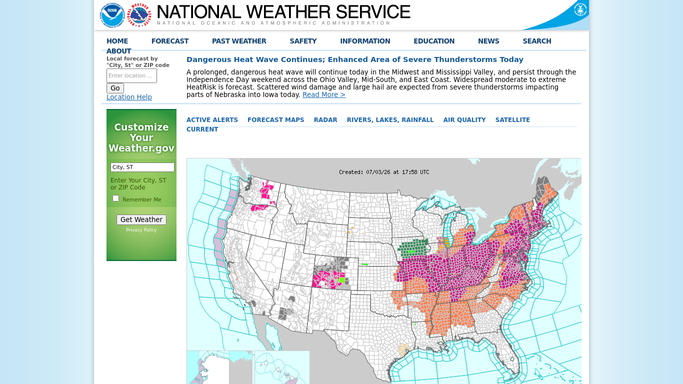
WebRun opens National Weather Service to watch conditions against your trigger depth. - Check the forecast and live accumulation for each service zone
- Compare the reading against the trigger depth you set for plow or salt
- Flag the zones that have crossed their trigger
Done when Every zone has a current reading against its trigger depth.
-
2
Yeti Software - pull today's sites and crew assignments
yetisoftware.com How to Automate Yeti Software

WebRun opens Yeti Software to pull today's sites and crew assignments. - Open Yeti Software and pull the site list for each triggered zone
- Match each site to its assigned crew and route order
- Note any site with special instructions, like a fire lane or a rooftop unit
Done when Every triggered site has a crew, a route order, and its instructions.
-
3
Twilio - text each crew their route
twilio.com How to Automate Twilio

WebRun opens Twilio to text each crew their route. - Text each crew lead their route for the zone that triggered
- Include the site order and any special instructions
- Log the send time for each crew so you can see who was notified when
Done when Every crew assigned to a triggered zone has received their route by text.
How is each run configured?
Secure by default
Connect once, stays signed in
WebRun signs in once and keeps each session in a persistent environment, so every run picks up right where it left off.
Every action is checked against this policy before it runs.
Questions, answered
Will it text my crew before I've confirmed the storm is real?
It only texts once your own trigger depth is crossed on the National Weather Service reading you set, not on a forecast alone. Set the depth conservatively and it only fires on actual accumulation.
What if a crew member's number changes?
It texts the number on file in Yeti Software, so update the crew record there and the next dispatch uses it automatically.
Can it dispatch to new phone numbers on its own?
No. It only texts numbers already saved against a crew member in Yeti Software. It never adds or messages a number that isn't on your roster.
Related templates
Put this on autopilot.
Turn it on in minutes - or have our team set it up for you.