How to Automate Yeti Software
Yeti automates the record a snow contractor lives on: timestamped site photos, GPS verified time tracking, dispatch and routing across a storm, billing into QuickBooks Online. It does not watch the weather service, the client's portal or the salt supplier, and an agent like WebRun reads those alongside it.
 Written by
Nikhil Bhatt
Automation strategist
Written by
Nikhil Bhatt
Automation strategist
 Reviewed by
Elliot Nakamura
Platform writer
Reviewed by
Elliot Nakamura
Platform writer
Proof of service is what a snow contractor actually sells
Yeti Software is built for snow removal and exterior maintenance contractors, the crews who plough parking lots at three in the morning and cut the same properties in July.
The unusual thing about the trade is what the customer is really buying. A property manager is not paying for a cleared lot. They are paying to be able to say, months later in front of a lawyer, that the lot was cleared at 4:12 and salted at 4:20, with a photograph. One slip and fall on a site with no record can take a season's margin.
So Yeti is organised around sites rather than customers, and around evidence rather than tasks. Crews and subcontractors work the mobile app, visits carry timestamped photos and GPS verified logs, and the season accumulates as a defensible record. Alongside that it runs the ordinary business: dispatch, routes, time sheets, contracts and billing, summer as well as winter.
Every storm leaves a week of paperwork behind it
The ploughing is the easy part. It is also the only part that ends.
Once the trucks are back, somebody has to work out what actually happened. How many pushes each site got, whether every one carries its before and after photos, how much salt went down against what was billed, which sites were hit inside their contracted response window and which ran late. Then the subcontractors want paying, and each number has to be built from those same records.
Meanwhile the seasonal clock runs. Contracts come up for renewal thirty days out and nobody notices until twenty. The salt pile is lower than it looks, and the supplier's lead time is longer than anyone remembers in August.
All of it is knowable, most of it the morning after. It just needs somebody to sit down and go and know it, in the week when everyone is asleep or driving.

Yeti timestamps the push, the weather service declares the storm
A contractor should lean on Yeti hard, because the record it keeps is the whole defence.
Site Photos capture timestamped shots on every visit and Time Tracking logs crew hours with GPS verification, so a service log is evidence rather than something typed up later. GPS Crew Tracking shows crews, subcontractors and site statuses in real time, and Dispatch and Routing puts a whole storm on one screen. Subcontractor access is its own tier, so a sub can be verified without being handed the business. Client Notifications send proof of service to the customer, which is what stops the phone ringing. Weather Reporting is an add-on that puts current and forecast conditions on the map, and Billing runs through to QuickBooks Online.
Inside a storm, that is close to complete.
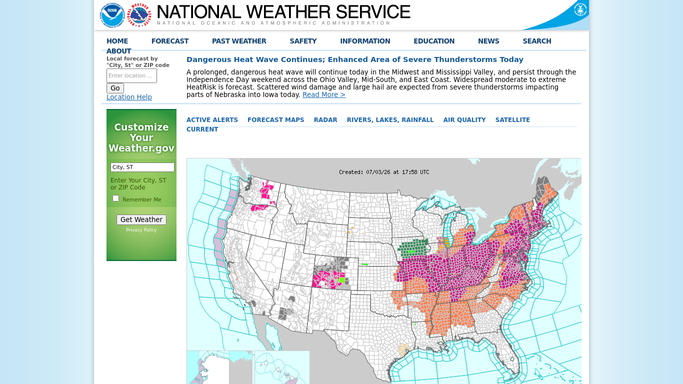
The ceiling is that Yeti records your own operation and nothing else. It knows a site was serviced at 4:12. It does not know the weather service issued a winter storm watch for that county at nine the night before, or that accumulation crossed your contract's trigger depth at two. It does not read the client's vendor portal, or the supplier page saying the bulk salt everyone assumed was there is three weeks out.
A site can prove itself before the plows are back in the yard
The morning after is where a snow season is won, and almost none of it needs a person.
Every site's service timestamps and photos pulled overnight into a liability log, with any site unserviced during active snowfall flagged then rather than in a deposition. Completed pushes totalled per site and drafted as an invoice, so billing leaves with the storm instead of next month.
Salt and ice melt logged per site set against what the books show was billed, because that gap is where a season's margin goes. Each subcontractor's pushes totalled into a payout draft that waits for you before anyone is paid.
Then the watching, which a person genuinely cannot do. The weather service checked for a winter storm watch on your service area, with driver and equipment availability read out of Yeti so supervisors confirm coverage before the storm lands. Contracted response times compared hourly against what has been completed, so a site running late becomes a text to the dispatcher, not an angry email. Drivers not clocked in by their route start time flagged while somebody can still ring them.
Client contact stays supervised. A property manager already unhappy about a lot should hear from a person.
A dispatcher cannot watch a radar and a route at once
At two in the morning the dispatcher is on the radio, not in a browser. By eight the crews are back and the paperwork is a day behind, and by the third storm of the month it is a week behind.
WebRun is an AI agent that works a real Chrome browser, signed in as you. It opens Yeti, reads the site logs, the photos, the push counts or the clock-ins, checks the weather service or QuickBooks alongside them, and puts the answer where your dispatcher and your office already look.
It runs on your schedule in your own private environment, limited to the sites you allow. Invoices, payouts and anything reaching a client are drafted and wait for a person.
The workflows below are already built, and each one names what it opens.
Questions people ask
Will it invoice a client for a storm without us checking it?
No. Push counts, salt totals and per-push amounts are gathered and drafted, then wait for whoever prices that contract. A snow invoice gets argued over line by line, so it goes out only once a person has read it.
Our subcontractors get paid off these numbers. Is that safe to automate?
Totalling the pushes is safe and runs unattended. Paying is not, so a payout is prepared per subcontractor and left unsent. Approving it is also the moment a miscounted push gets caught, which is why that step stays with you.
Does this replace the Weather Reporting add-on?
No, keep it, because the map is where a dispatcher wants conditions. This reads the official watches and warnings for your service area and turns them into a staffing check against who is actually available tonight, which is a different job from seeing weather on a screen.
12 ready-made Yeti Software workflows
Each one names the apps it touches and the exact steps it takes. Open one to read what it will do, then turn it on.




Want one of these running on your own Yeti Software?
Show WebRun the process once and it will run it on schedule, in your own private browser environment.