Turn completed rides into a rider satisfaction pulse check
Every Monday, WebRun opens Driver Schedule, finds last week's completed rides, drafts a short satisfaction survey invite for each resident's family contact in SurveyMonkey, leaves every invite queued for your coordinator to send, and posts a Slack summary of any new responses so low scores get a fast follow-up.
- No credit card
- Under $0.01 per run
- Cancel anytime
How do I automatically collect and track rider satisfaction for senior transportation?
WebRun finds every ride completed in the past week from Driver Schedule, drafts a short satisfaction survey invite for each family in SurveyMonkey, and leaves every invite queued as unsent for your coordinator to send. It then posts a Slack summary of new responses each Monday, flagging any score of 3 out of 5 or lower so low ratings get a fast, specific follow-up.
- Every eligible ride gets a drafted survey invite within a week of completion
- Low scores are flagged with the driver and ride date attached, not buried in a spreadsheet
- The same family is never asked for feedback more than once a month
Built for NEMT quality teams · assisted living resident experience staff · paratransit operators · senior living transportation managers
What does WebRun do on every run?
The exact actions WebRun takes, in order - in plain language, so you can adjust anything.
-
WebRun signs in and gets to work
Opens
app.driverschedule.comin a real browser with your saved login - no setup, no API keys. -
1
Driver Schedule - find last week's completed rides
driverschedule.com How to Automate Driver Schedule
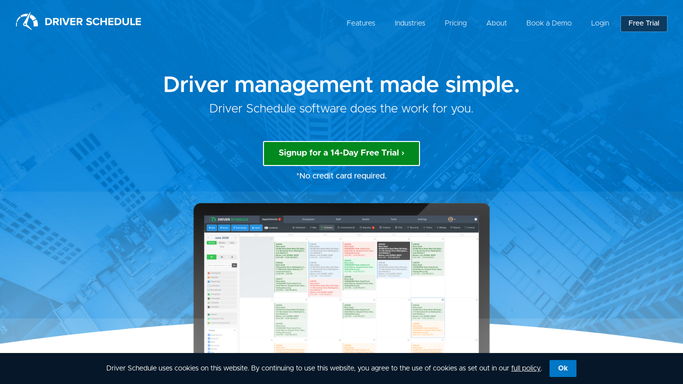
WebRun opens Driver Schedule to find last week's completed rides. - Open Driver Schedule and pull every ride completed in the past week
- Capture the resident, family contact, driver, and ride date for each
- Skip residents already surveyed in the past 30 days
Done when Every eligible completed ride from the past week is listed with its family contact.
-
2
SurveyMonkey - draft and track survey invites
surveymonkey.com

WebRun opens SurveyMonkey to draft and track survey invites. - Draft a short satisfaction survey invite for each eligible family contact
- Leave every invite queued as unsent for the coordinator to review
- Pull in any new responses received since the last check
Done when An invite is drafted for every eligible ride, and this week's new responses are collected.
-
3
Slack - summarize the responses
slack.com How to Automate Slack

WebRun opens Slack to summarize the responses. - Post a summary of new responses to the team channel, average score first
- Flag any response scoring 3 out of 5 or lower for follow-up
- Name the driver and ride date tied to each flagged response
Done when The team has a response summary in Slack with low scores flagged for follow-up.
How is each run configured?
Secure by default
Connect once, stays signed in
WebRun signs in once and keeps each session in a persistent environment, so every run picks up right where it left off.
Every action is checked against this policy before it runs.
Questions, answered
Does it send the survey to families without review?
No. Every invite is drafted and left unsent in SurveyMonkey. Your coordinator reviews and sends the batch, WebRun never contacts a family directly.
How often does the same family get asked for feedback?
At most once every 30 days. Residents already surveyed in that window are skipped, so no family gets asked after every single ride.
What happens when a response scores low?
It is flagged in the Slack summary with the driver and ride date attached, so your team can follow up on that specific ride while the details are still fresh.
Related templates
Put this on autopilot.
Turn it on in minutes - or have our team set it up for you.