Build this week's driver availability roster for dispatch
Every Monday, WebRun opens Google Calendar to read each driver's shifts and approved time off for the week, cross-checks their ride load in Driver Schedule, and posts a full availability roster to Slack so dispatch can see at a glance who is working, when, and how many rides they already have.
- No credit card
- Under $0.01 per run
- Cancel anytime
What does WebRun do on every run?
The exact actions WebRun takes, in order - in plain language, so you can adjust anything.
-
WebRun signs in and gets to work
Opens
calendar.google.comin a real browser with your saved login - no setup, no API keys. -
1
Google Calendar - read driver shifts and time off
calendar.google.com How to Automate Google Calendar

WebRun opens Google Calendar to read driver shifts and time off. - Open the shared driver calendar and read this week's shifts
- Capture any approved time off, sick days, or half days
- Note drivers with no shift entered for the week
Done when Every driver's shifts and time off for the week are captured.
-
2
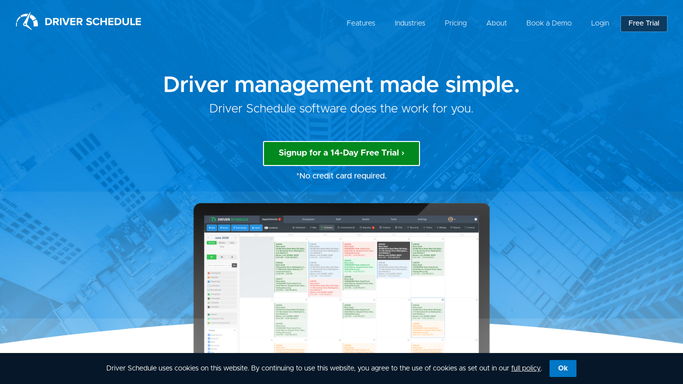
Driver Schedule - check each driver's ride load
driverschedule.com How to Automate Driver Schedule
WebRun opens Driver Schedule to check each driver's ride load. - Check each driver's assigned rides for the week
- Total the ride count per driver per day
- Flag any driver who is scheduled to work but has zero rides assigned
Done when Every working driver has a ride count for each day of the week.
-
3
Slack - post the weekly roster
slack.com How to Automate Slack
WebRun opens Slack to post the weekly roster. - Post the weekly roster to the dispatch channel, driver by driver
- Show each driver's shifts, time off, and current ride count
- Flag drivers with no shift entered and drivers with a heavy ride load
Done when Dispatch has the full weekly driver roster in Slack for Monday morning.


How do I build a weekly driver availability roster automatically?
WebRun reads each driver's shifts and approved time off from Google Calendar every Monday, cross-checks their assigned ride count in Driver Schedule, and posts a full weekly roster to Slack. Dispatch sees at a glance who is working, who is off, who has no shift entered, and who is carrying a heavy ride load, all before the week's first pickup.
- Dispatch sees the full weekly roster in Slack before Monday's first pickup
- Drivers with no shift entered are caught before the week starts, not mid week
- Overloaded and underused drivers both get flagged for rebalancing
Built for NEMT dispatchers · assisted living transportation managers · paratransit fleet managers · senior living staffing coordinators
How is each run configured?
Secure by default
Connect once, stays signed in
WebRun signs in once and keeps each session in a persistent environment, so every run picks up right where it left off.
Every action is checked against this policy before it runs.
Questions, answered
What if a driver never entered their shifts for the week?
They are flagged in the roster as having no shift entered, so dispatch can follow up before the week gets underway instead of discovering it mid week.
Does it account for approved time off?
Yes. It reads approved time off and sick days from the shared calendar and reflects them in the roster, so dispatch does not accidentally count someone as available who is off.
How does it flag an overloaded driver?
It totals each driver's assigned rides for the week from Driver Schedule and calls out anyone carrying a heavy load next to their shift hours, so dispatch can rebalance before the week gets busy.
Related templates
Put this on autopilot.
Turn it on in minutes - or have our team set it up for you.