Catch respite authorizations before hours run out
Every Monday, WebRun opens Alora, pulls each active client's authorized and used respite hours, updates a running balance tracker in Google Sheets, and drafts a renewal request email in Gmail for any authorization projected to run out within 2 weeks.
- No credit card
- Under $0.01 per run
- Cancel anytime
How do I catch respite hour authorizations before they run out?
WebRun checks Alora every Monday for each active client's authorized versus used respite hours, updates a running balance tracker in Google Sheets, and drafts a renewal request email in Gmail for any authorization projected to run out within 2 weeks. Your biller reviews and sends each request, so no client loses coverage because an authorization expired unnoticed.
- Authorizations get flagged 2 weeks before running out, not after
- Billers see the same live remaining balance every Monday
- Renewal requests are drafted and ready, not written from scratch under deadline pressure
Built for respite care agencies · billing coordinators · case managers · waiver program administrators
What does WebRun do on every run?
The exact actions WebRun takes, in order - in plain language, so you can adjust anything.
-
WebRun signs in and gets to work
Opens
www.alorahealth.comin a real browser with your saved login - no setup, no API keys. -
1
Alora - find authorized vs used respite hours
alorahealth.com How to Automate Alora
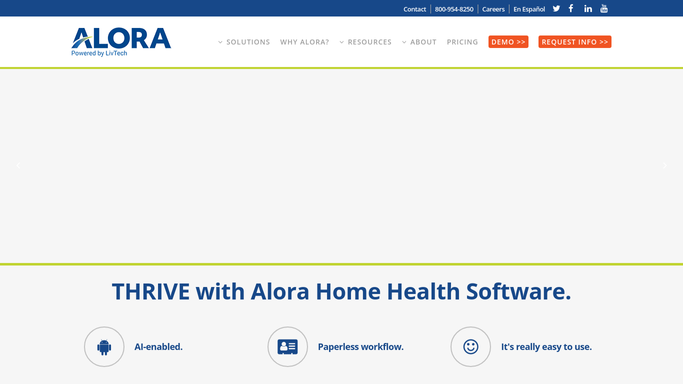
WebRun opens Alora to find authorized vs used respite hours. - Open Alora and pull each active client's authorized respite hours and hours used to date
- Calculate the remaining balance and the average weekly burn rate
- Flag any authorization projected to run out within 2 weeks
Done when Every active client's authorized and used respite hours are captured with a remaining balance.
-
2
Google Sheets - log the running balance
google.com How to Automate Google Sheets

WebRun opens Google Sheets to log the running balance. - Update the authorization tracker with each client's remaining balance and burn rate
- Highlight any row flagged as running out within 2 weeks
Done when The tracker reflects the current remaining balance for every active client.
-
3
Gmail - draft the renewal request
gmail.com How to Automate Gmail

WebRun opens Gmail to draft the renewal request. - Draft a renewal request email to the case manager or payer for each flagged authorization
- Include the client, current authorization end date, hours used, and hours requested
- Leave every draft unsent for your biller to review before sending
Done when A renewal request draft exists for every authorization projected to run out within 2 weeks.
How is each run configured?
Secure by default
Connect once, stays signed in
WebRun signs in once and keeps each session in a persistent environment, so every run picks up right where it left off.
Every action is checked against this policy before it runs.
Questions, answered
Will it email the payer or case manager without approval?
No. WebRun drafts the renewal request in Gmail and leaves it unsent. Your biller reviews and sends every request, so nothing goes to a payer automatically.
How does it decide an authorization is running low?
It compares hours used to hours authorized in Alora and projects the burn rate forward. Anything on track to run out within 2 weeks gets flagged.
Does the tracker cover every payer type?
It tracks whatever authorization Alora has on file for each client, whether that is a Medicaid waiver, private insurance, or a private-pay hour bank.
Related templates
Put this on autopilot.
Turn it on in minutes - or have our team set it up for you.