Build your weekly KPI roll-up from every tool
Every Monday, WebRun reads last week's numbers from your tracking spreadsheet, updates the KPI dashboard in Notion with the latest values and trends, and posts a one-page summary to Slack so your leadership team sees the week's picture instantly.
- No credit card
- Under $0.01 per run
- Cancel anytime
How can I automatically build a weekly KPI roll-up from multiple tools?
WebRun builds your weekly KPI roll-up every Monday so leadership starts the week with a clear picture. It reads last week's numbers from your tracking spreadsheet, updates the KPI dashboard in Notion with the latest values and trends, and posts a one-page summary to Slack - no manual pulling or copy-pasting required.
- Weekly KPI summary delivered to Slack before Monday morning meetings
- Notion dashboard updated with trends, not just raw numbers
- No manual number-pulling from multiple tools
Built for operations leaders · department heads · startup founders · business analysts
What does WebRun do on every run?
The exact actions WebRun takes, in order - in plain language, so you can adjust anything.
-
WebRun signs in and gets to work
Opens
docs.google.com/spreadsheetsin a real browser with your saved login - no setup, no API keys. -
1
Google Sheets - read last week's raw metrics
google.com How to Automate Google Sheets

WebRun opens Google Sheets to read last week's raw metrics. - Open the metrics master sheet and filter to the previous week's rows
- Extract the key KPIs: revenue, open tasks, tickets resolved, headcount utilisation, and any custom metrics you track
- Calculate week-over-week change for each metric
Done when All KPIs for last week are captured with their prior-week comparison.
-
2
Notion - update the KPI dashboard
notion.so How to Automate Notion
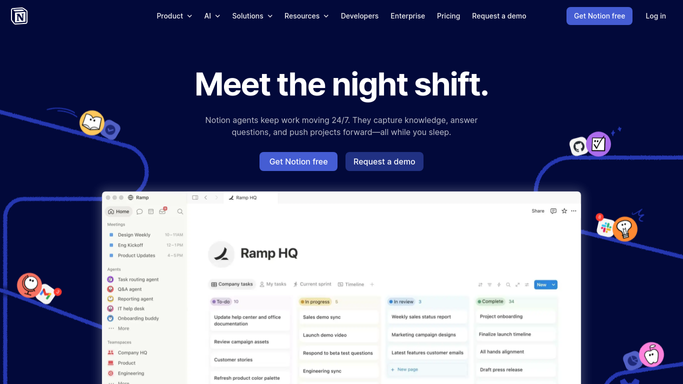
WebRun opens Notion to update the KPI dashboard. - Open the KPI Dashboard page in Notion
- Update each metric block with the new value and the percentage change
- Add a brief narrative note in the Weekly Commentary section if any metric moved by more than 10%
Done when The Notion KPI dashboard reflects last week's numbers with trends highlighted.
-
3
Slack - share the weekly summary
slack.com How to Automate Slack

WebRun opens Slack to share the weekly summary. - Post a one-page summary to #leadership with this week's headline numbers and any significant movements
- Include a link to the full Notion dashboard for detail
Done when Leadership has the weekly KPI summary in Slack with a link to the full dashboard.
How is each run configured?
Secure by default
Connect once, stays signed in
WebRun signs in once and keeps each session in a persistent environment, so every run picks up right where it left off.
Every action is checked against this policy before it runs.
Questions, answered
What if a metric is missing from the sheet this week?
WebRun flags it in the summary as 'data not yet available' so you know to investigate, rather than silently posting a zero.
Can it pull from more than one spreadsheet?
Yes - give WebRun the list of sheets and which column holds which KPI, and it will consolidate them all into one dashboard.
Does it overwrite my Notion dashboard?
It updates only the metric values and adds a weekly commentary note. Your page layout, context, and historical entries are never deleted.
Related templates
Put this on autopilot.
Turn it on in minutes - or have our team set it up for you.