Reconcile rent payments against your ledger
When a rent payment lands in your bank account, WebRun matches it against the open rent charges in AppFolio, records the payment in QuickBooks, and flags any shortfall, overpayment, or unmatched transaction to you in Slack.
- No credit card
- Under $0.01 per run
- Cancel anytime
What does WebRun do on every run?
The exact actions WebRun takes, in order - in plain language, so you can adjust anything.
-
WebRun signs in and gets to work
Opens
app.appfolio.comin a real browser with your saved login - no setup, no API keys. -
1
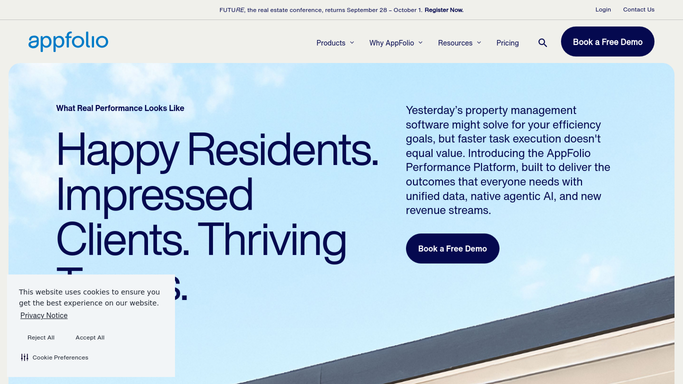
AppFolio - match payment to open rent charge
appfolio.com How to Automate AppFolio

WebRun opens AppFolio to match payment to open rent charge. - Open the Bank Transactions feed and locate the new incoming payment
- Match it to the open rent charge for the correct tenant and unit by amount and date
- Flag if the amount received differs from the charge, or if no matching charge is found
Done when The payment is matched to a tenant ledger entry or flagged as unmatched.
-
2
QuickBooks - record the payment
- Open QuickBooks and go to the Receive Payment screen
- Enter the tenant name, payment date, amount, and the corresponding invoice
- Save the payment record and confirm the invoice shows as paid
Done when The rent payment is recorded in QuickBooks and the invoice is marked paid.
-
3
Slack - flag discrepancies for review
slack.com How to Automate Slack
WebRun opens Slack to flag discrepancies for review. - Post a confirmation of matched payments to #accounting with tenant name, unit, and amount
- Send a separate alert for any unmatched, short-paid, or overpaid transactions with the discrepancy amount
- Include a link to the AppFolio transaction for quick resolution
Done when All payments are confirmed or discrepancies are flagged with details in Slack.

How can I automatically reconcile rent payments against my property ledger?
When a rent payment lands in your bank, WebRun matches it against open rent charges in AppFolio, records the payment in QuickBooks, and flags any shortfall, overpayment, or unmatched transaction to you in Slack - so your ledger stays accurate without manual cross-checking.
- Every payment matched to its charge in real time
- Shortfalls and overpayments flagged in Slack before they accumulate
- QuickBooks ledger updated automatically on each payment
Built for property managers · property accountants · landlords · real estate finance teams
How is each run configured?
Secure by default
Connect once, stays signed in
WebRun signs in once and keeps each session in a persistent environment, so every run picks up right where it left off.
Every action is checked against this policy before it runs.
Questions, answered
Can it mark an invoice as paid in AppFolio automatically?
It records the payment in QuickBooks automatically for clean matches. AppFolio updates are flagged to you for confirmation so the ledger is never changed without your awareness.
What counts as a discrepancy?
Any payment that doesn't exactly match an open charge by tenant, amount, or date - including partial payments and payments with no matching lease.
What if a tenant pays in two instalments?
WebRun flags the first payment as a partial match and tracks it; when the second arrives it attempts to close the full charge and notifies you.
Related templates
Put this on autopilot.
Turn it on in minutes - or have our team set it up for you.