Find the assets your scanning never sees
Every night, WebRun opens Rapid7, goes through your sites and asset groups, finds the assets whose agent has stopped reporting in or that have not been scanned inside your coverage window, writes the blind spots by site and owner into a Google Drive report, and posts the counts to Slack.
- No credit card
- Under $0.01 per run
- Cancel anytime
How do I find assets that my vulnerability scanning never covers?
WebRun opens Rapid7 every night and checks every site and asset group for assets whose agent has stopped reporting in, that have no agent at all, or that have not been scanned inside your window. It files the blind spots by site and owner in Google Drive and posts the coverage gaps to Slack.
- A clean vulnerability report is clean because everything was checked
- Every blind spot arrives named with its site and owner
- Assets that drop out of coverage are flagged the same night
Built for security engineers · SecOps teams · vulnerability managers · IT compliance leads
What does WebRun do on every run?
The exact actions WebRun takes, in order - in plain language, so you can adjust anything.
-
WebRun signs in and gets to work
Opens
www.rapid7.comin a real browser with your saved login - no setup, no API keys. -
1
Rapid7 - find assets with no agent or scan
rapid7.com
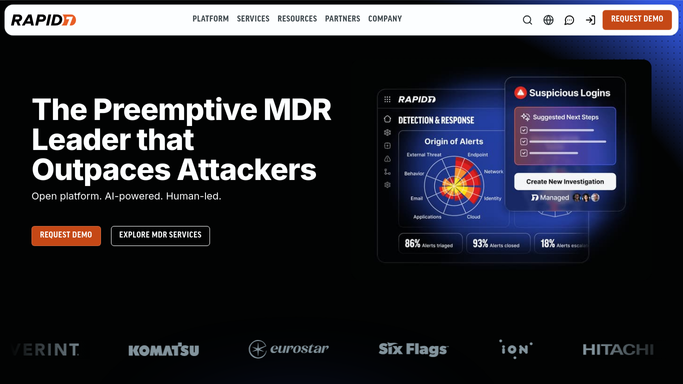
WebRun opens Rapid7 to find assets with no agent or scan. - Open Rapid7 and list your sites and asset groups
- For each asset, read the agent status and when it last checked in
- Read the last scan date and flag anything outside your coverage window
- Note assets present in inventory with no agent installed at all, and record the owner recorded against each
Done when Every asset with a stale agent or an old last scan date is identified by site.
-
2
Google Drive - file the blind spots by site
drive.google.com How to Automate Google Drive

WebRun opens Google Drive to file the blind spots by site. - Open the security reporting folder and write tonight's coverage report
- List blind spots grouped by site, with the asset, its owner, and the reason it is uncovered
- Show the coverage percentage per site and how it changed since last night
- Keep a running history so a site that never improves is visible
Done when Drive holds a per-site coverage report naming every blind spot and its owner.
-
3
Slack - post tonight's coverage gaps
slack.com How to Automate Slack

WebRun opens Slack to post tonight's coverage gaps. - Post the security channel tonight's coverage summary: total assets, covered, and uncovered
- Name the sites with the worst coverage and the count of assets behind each
- Flag any asset that dropped out of coverage since last night
- Link back to the Drive report for the full list
Done when The security channel has tonight's coverage gaps in Slack.
How is each run configured?
Secure by default
Connect once, stays signed in
WebRun signs in once and keeps each session in a persistent environment, so every run picks up right where it left off.
Every action is checked against this policy before it runs.
Questions, answered
Does it run scans or install agents?
No. WebRun reads asset inventory, agent status, and last scan dates and reports the gaps. It starts no scan, installs no agent, and changes no site configuration. Remediation stays with your team.
What counts as a blind spot?
An asset with no agent installed, an agent that has not checked in inside your threshold, or an asset whose last scan falls outside your coverage window. You set both thresholds.
Who sees the report?
Only your team. The full list goes to a Google Drive folder you control and a summary goes to the internal Slack channel you choose. Nothing is shared outside those two places.
Related templates
Put this on autopilot.
Turn it on in minutes - or have our team set it up for you.