Audit who can publish your PyPI packages
Every month, WebRun signs in to PyPI, opens your account settings and each project's collaborator list, records every API token and maintainer with its scope and role, writes the full picture to a Notion audit page, and texts you when the list changed since last time.
- No credit card
- Under $0.01 per run
- Cancel anytime
How do I keep track of who can publish my PyPI packages?
WebRun audits your PyPI publish permissions every month. It signs in, reads every API token and project collaborator with its scope and role, writes the full picture into a Notion record beside last month's, and texts you through Twilio when a token or maintainer was added or removed.
- Every account with publish rights is reviewed once a month
- A new token or maintainer reaches you by text the same day it is found
- A dated Notion history makes an access change easy to trace back
Built for Python maintainers · open source teams · platform engineering · security engineers
What does WebRun do on every run?
The exact actions WebRun takes, in order - in plain language, so you can adjust anything.
-
WebRun signs in and gets to work
Opens
pypi.org/account/loginin a real browser with your saved login - no setup, no API keys. -
1
PyPI - read tokens and collaborators
pypi.org
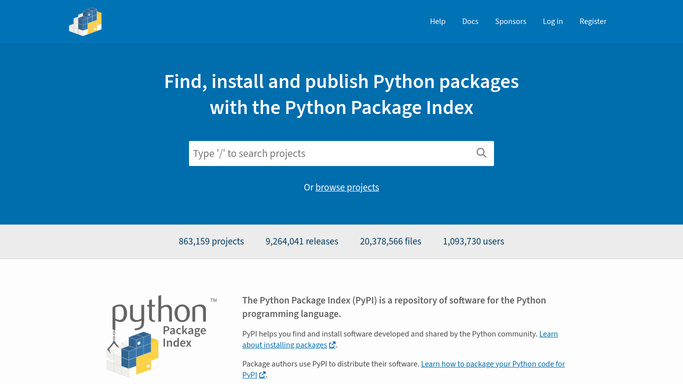
WebRun opens PyPI to read tokens and collaborators. - Sign in to PyPI and open Account settings
- List every API token with its name, scope, and creation date
- Open each project you own and list its collaborators and their roles
- Note which projects still have no two-factor requirement satisfied on your own account
Done when Every token and every project collaborator is captured with its scope or role.
-
2
Notion - log the audit record
notion.so How to Automate Notion

WebRun opens Notion to log the audit record. - Open your release security database in Notion
- Add this month's row per project with its tokens, collaborators, and roles
- Highlight anything added or removed since the previous month's row
- Leave last month's record intact so the history is comparable
Done when This month's publish-permission record is saved in Notion next to the previous one.
-
3
Twilio - text you about changes
twilio.com How to Automate Twilio

WebRun opens Twilio to text you about changes. - Compose a short text naming any new token, new collaborator, or removed maintainer
- Send it to the maintainer numbers on your approved internal list
- Stay silent when nothing changed, so a text always means something moved
Done when You have been texted about every change, or nothing changed and no text was sent.
How is each run configured?
Secure by default
Connect once, stays signed in
WebRun signs in once and keeps each session in a persistent environment, so every run picks up right where it left off.
Every action is checked against this policy before it runs.
Questions, answered
Will it revoke a token or remove a maintainer?
No. WebRun only reads and records. Revoking a token or removing a collaborator stays a manual action you take yourself, so a mistaken audit can never lock your team out of a release.
Does it publish or yank any package?
Never. The run touches your account settings and project collaborator pages in read-only fashion. It cannot upload a distribution, delete a release, or yank a version.
Where do the token values go?
Nowhere. PyPI shows a token value only once at creation, and WebRun records just the token name, scope, and date. No secret value is ever written to Notion or sent by text.
Related templates
Put this on autopilot.
Turn it on in minutes - or have our team set it up for you.