Keep customers informed before every pool service visit
Every morning, WebRun opens Skimmer, pulls the day's scheduled visits, drafts a friendly heads-up message for each customer, queues those messages for your review, and posts the route summary to Slack so your team starts the day aligned.
- No credit card
- Under $0.01 per run
- Cancel anytime
How do I automatically send pool service visit reminders to customers?
Every morning, WebRun opens Skimmer, collects the day's scheduled pool service stops, and drafts a friendly heads-up message for each customer via Twilio. Drafts are queued for your review before sending. A route digest is posted to Slack so your team starts the day with full visibility.
- Customers receive a heads-up before every visit, reducing missed access and callbacks
- Technicians start each day with a clear, flagged route digest in Slack
- No reminder goes to a customer without a human review step
Built for pool service companies · pool route operators · field service teams · swimming pool maintenance businesses
What does WebRun do on every run?
The exact actions WebRun takes, in order - in plain language, so you can adjust anything.
-
WebRun signs in and gets to work
Opens
app.getskimmer.comin a real browser with your saved login - no setup, no API keys. -
1
Skimmer - pull today's scheduled visits
getskimmer.com
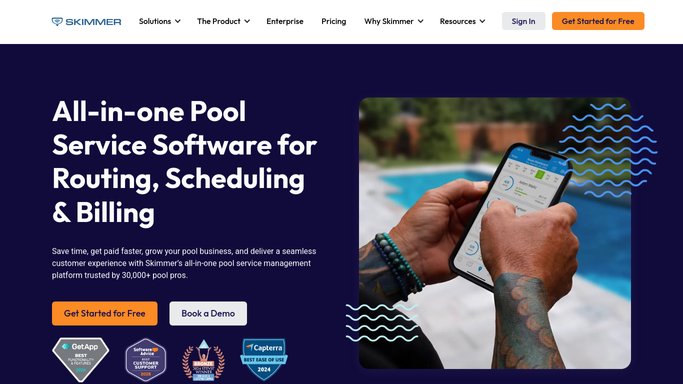
WebRun opens Skimmer to pull today's scheduled visits. - Open Skimmer and navigate to today's route schedule
- Collect each stop: customer name, address, scheduled window, assigned technician, and any access notes
- Flag stops with locked gates, dogs on site, or special entry instructions
Done when Every visit for today has been listed with its details and access notes.
-
2
Twilio - draft visit reminder messages
twilio.com How to Automate Twilio

WebRun opens Twilio to draft visit reminder messages. - Draft a short, friendly reminder for each customer noting the service window and technician name
- Include any customer-facing access instructions where relevant
- Queue each message as a draft for your review before sending - do not send without approval
Done when A draft reminder exists for every customer on today's route, ready for your review.
-
3
Slack - post route digest to team
slack.com How to Automate Slack

WebRun opens Slack to post route digest to team. - Post a concise route digest to the team channel listing stops in order, technician assignments, and flagged access issues
- Highlight any stops that need special attention before arrival
Done when The team has today's route summary in Slack with all flags visible.
How is each run configured?
Secure by default
Connect once, stays signed in
WebRun signs in once and keeps each session in a persistent environment, so every run picks up right where it left off.
Every action is checked against this policy before it runs.
Questions, answered
Will it send messages to customers automatically?
No. Every customer-facing message is drafted and queued for your approval first. Nothing is sent to a customer without a human review step.
What if a visit is rescheduled after reminders are drafted?
Each morning run reads the live schedule in Skimmer, so only that day's confirmed visits are included. Rescheduled stops simply appear on the correct day.
Can it handle multiple technicians and routes?
Yes. Skimmer organizes stops by route and technician, and WebRun mirrors that structure in both the drafted messages and the Slack digest.
Related templates
Put this on autopilot.
Turn it on in minutes - or have our team set it up for you.