Reschedule every missed pool service stop before the customer notices
Every evening, WebRun reviews Skimmer for any scheduled stops that were not completed that day, drafts a brief apology and reschedule offer for each affected customer, queues the messages for your review, and posts a missed-stop alert to Slack so your dispatch team can address it before the next morning.
- No credit card
- Under $0.01 per run
- Cancel anytime
How do I automatically follow up when a pool service technician misses a stop?
Every evening, WebRun checks Skimmer for scheduled stops that were not completed, drafts a polite apology and reschedule offer in Gmail for each affected customer, and posts a missed-stop alert to Slack for your dispatch team. All customer messages are held for review, but your team can act before the customer even realizes the visit was missed.
- Every missed stop addressed the same evening it occurs, not days later
- Dispatch team sees urgency flags for chemical-critical accounts before the next morning
- No customer apology goes out without your review, maintaining control of the message
Built for pool service companies · pool route managers · dispatch teams · multi-technician pool operations
What does WebRun do on every run?
The exact actions WebRun takes, in order - in plain language, so you can adjust anything.
-
WebRun signs in and gets to work
Opens
app.getskimmer.comin a real browser with your saved login - no setup, no API keys. -
1
Skimmer - identify incomplete stops from today's routes
getskimmer.com
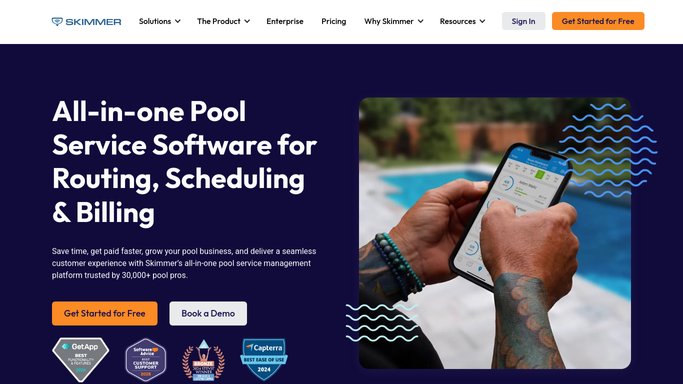
WebRun opens Skimmer to identify incomplete stops from today's routes. - Open Skimmer and review today's routes for any stops marked incomplete or unvisited by end of day
- Distinguish between skipped stops (intentional, logged by technician) and missed stops (no status update)
- Capture the customer name, address, service type, assigned technician, and any technician notes
- Flag any missed stops for customers with chemical issues flagged from a recent reading
Done when Every missed or incomplete stop from today's routes has been identified with its details.
-
2
Gmail - draft apology and reschedule offer
gmail.com How to Automate Gmail

WebRun opens Gmail to draft apology and reschedule offer. - Draft a brief, sincere apology to each affected customer acknowledging the missed visit
- Offer to reschedule at the earliest available slot and invite them to reply with their preference
- Keep the tone professional and solution-focused, not defensive
- Leave every draft unsent for your review - do not send without approval
Done when A draft apology and reschedule offer exists in Gmail for every affected customer, queued for review.
-
3
Slack - alert dispatch team of missed stops
slack.com How to Automate Slack

WebRun opens Slack to alert dispatch team of missed stops. - Post a missed-stop alert to the dispatch or operations channel
- List each missed stop with the customer, address, and assigned technician
- Flag any stops with chemical urgency or customers who have complained before
Done when Dispatch has a complete missed-stop list in Slack with urgency flags before the next morning.
How is each run configured?
Secure by default
Connect once, stays signed in
WebRun signs in once and keeps each session in a persistent environment, so every run picks up right where it left off.
Every action is checked against this policy before it runs.
Questions, answered
Will it contact the customer automatically after a missed stop?
No. Every apology and reschedule message is drafted in Gmail and held for your review before anything goes to the customer.
How does it tell the difference between a skipped stop and a missed stop?
It looks for scheduled stops with no completion record or technician note by end of day. Stops your technician explicitly marks as skipped with a reason are handled separately.
What if the missed stop was for an account with a known water quality issue?
Those stops are flagged for urgency in the Slack alert so dispatch can prioritize them for next-day scheduling rather than waiting for the regular route rotation.
Related templates
Put this on autopilot.
Turn it on in minutes - or have our team set it up for you.