Route incoming orders to the right fulfillment path automatically
Every hour, WebRun opens Printful, reviews new orders placed since the last check, applies your routing rules by product type and destination, and posts a Telegram alert for any order that falls outside automatic routing, such as rush orders, international destinations requiring a customs note, or products with special handling.
- No credit card
- Under $0.01 per run
- Cancel anytime
How do I automatically catch orders that need manual routing in my print-on-demand store?
WebRun checks Printful every hour for new orders and applies your routing rules by product type, destination country, and special flags. Any order that cannot be auto-routed triggers a Telegram alert with the order ID and the reason, so your team can make a routing decision before the order enters production in the wrong facility.
- No order enters production in the wrong facility without a human decision
- Hourly checks mean routing exceptions are caught within 60 minutes of an order being placed
- A clear-run Telegram message confirms every quiet hour so you always know the check ran
Built for print on demand sellers · ecommerce operations teams · Shopify store owners · high-volume POD businesses
What does WebRun do on every run?
The exact actions WebRun takes, in order - in plain language, so you can adjust anything.
-
WebRun signs in and gets to work
Opens
www.printful.com/dashboardin a real browser with your saved login - no setup, no API keys. -
1
Printful - review new orders and apply routing rules
printful.com How to Automate Printful
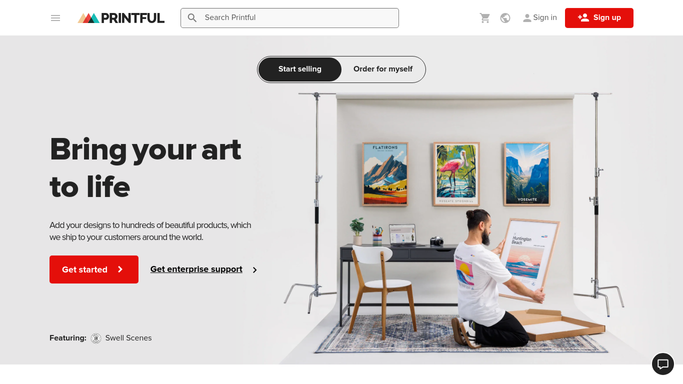
WebRun opens Printful to review new orders and apply routing rules. - Open Printful and filter orders to those placed in the past hour
- Check each order against your routing rules: product category, destination country, and any rush or gift flags
- Identify orders that your rules cannot auto-route, such as split-facility orders or restricted destinations
- Note the order ID, product, destination, and the reason it requires a manual decision
Done when All new orders are checked and any requiring manual routing are identified.
-
2
Telegram - alert you to orders needing a manual routing decision
telegram.org How to Automate Telegram

WebRun opens Telegram to alert you to orders needing a manual routing decision. - Send a Telegram message for each order that needs a manual routing decision
- Include the order ID, product, destination country, and the specific rule that triggered the alert
- Send a brief hourly summary if no exceptions were found, so you know the check ran
Done when You receive a Telegram alert for every exception, or a clear-run confirmation for quiet hours.
How is each run configured?
Secure by default
Connect once, stays signed in
WebRun signs in once and keeps each session in a persistent environment, so every run picks up right where it left off.
Every action is checked against this policy before it runs.
Questions, answered
Will it route orders in Printful automatically?
No. WebRun identifies routing exceptions and alerts you via Telegram. All routing decisions and any changes to Printful orders are made by your team after reviewing the alert.
What kinds of orders get flagged?
Any order that falls outside your configured routing rules, such as split-facility products, restricted country destinations, rush orders, or orders with gift messaging that needs a customs note.
What happens if there are no exceptions in an hour?
WebRun sends a brief confirmation message to Telegram so you know the check ran clean. You are never left wondering whether the run happened.
Related templates
Put this on autopilot.
Turn it on in minutes - or have our team set it up for you.