See every application's status at a glance
Every few minutes, WebRun opens the rental applications in DoorLoop, reads each applicant's screening stage and whether the credit and background check is back, logs the status and any missing items into a Google Sheet, and posts your leasing team a Slack note the moment an application is complete and ready to decide.
- No credit card
- Under $0.01 per run
- Cancel anytime
How do I track rental application screening status automatically?
Every few minutes, WebRun opens the rental applications in DoorLoop and reads each applicant's screening stage and whether the credit and background check is back. It logs the status and missing items to a Google Sheet and pings your leasing team in Slack when an application is complete, so good applicants get a decision before they take another unit.
- Every application's stage is visible without opening DoorLoop
- Complete applications get a decision ping in minutes
- Missing documents are named so screening never stalls silently
Built for leasing teams · property managers · landlords · residential property teams
What does WebRun do on every run?
The exact actions WebRun takes, in order - in plain language, so you can adjust anything.
-
WebRun signs in and gets to work
Opens
app.doorloop.comin a real browser with your saved login - no setup, no API keys. -
1
DoorLoop - read application screening
doorloop.com
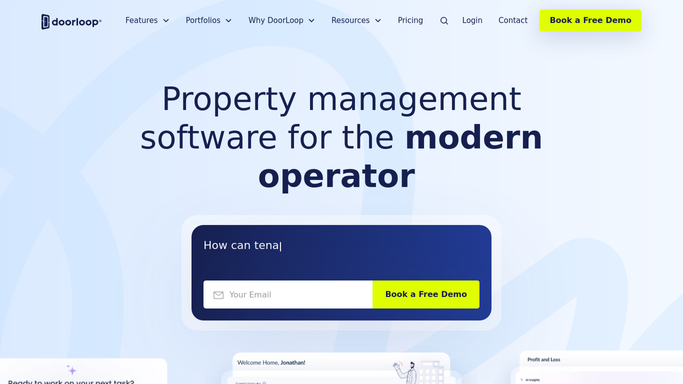
WebRun opens DoorLoop to read each application's screening. - Open Rental Applications in DoorLoop and read each applicant's status
- Note whether the TransUnion credit and background screening is complete
- Capture any missing income proof, ID, or co-applicant document
Done when Every open application has its screening stage and gaps captured.
-
2
Google Sheets - log stage and missing items
google.com How to Automate Google Sheets

WebRun mirrors each application's stage into a status board. - Log each applicant with their unit, stage, and screening result
- Mark what is still missing and how long the application has been open
- Sort so complete-and-waiting applications sit at the top
Done when The application board mirrors every applicant's stage and gaps.
-
3
Slack - ping when ready to decide
slack.com How to Automate Slack

WebRun pings the leasing team when an application is ready. - Post a note when an application is complete and ready for a decision
- Name the applicant, the unit, and the screening outcome to review
- Leave the approve or decline decision to your team. Never accept or reject automatically
Done when Your leasing team is pinged for every application ready to decide.
How is each run configured?
Secure by default
Connect once, stays signed in
WebRun signs in once and keeps each session in a persistent environment, so every run picks up right where it left off.
Every action is checked against this policy before it runs.
Questions, answered
Will it approve or decline applicants on its own?
No. WebRun only reads the DoorLoop application status and tracks it. Approving, declining, or sending an adverse-action notice stays with your leasing team inside DoorLoop, so every decision is a human one.
How does it know an application is ready?
It reads each applicant's DoorLoop status and whether the TransUnion credit and background screening is back. When nothing is outstanding, it marks the application complete and pings your team to decide.
Can it tell me what an application is waiting on?
Yes. For each open application it logs the missing items, like income proof, ID, or a co-applicant document, so your team can chase exactly what is holding screening up.
Related templates
Put this on autopilot.
Turn it on in minutes - or have our team set it up for you.