Verify insurance before every perio surgery
Every Thursday, WebRun opens Panda Perio, pulls the next week's surgical and graft schedule, verifies each patient's plan, remaining annual maximum, and any waiting period, records the eligibility detail in Google Sheets, and posts your billing team a worklist in Slack flagging cases that need attention before the surgery date.
- No credit card
- Under $0.01 per run
- Cancel anytime
How do I automatically verify insurance eligibility before periodontal surgery?
WebRun opens Panda Perio each Thursday, pulls the next week's surgical schedule, and verifies each patient's plan, remaining maximum, and waiting periods against the estimated fee. It records the detail in Google Sheets and posts your billing team a worklist in Slack, flagging any coverage shortfall before the surgery date, so no perio case turns into a costly coverage surprise.
- Coverage checked a week before every surgery
- Shortfalls surface before the patient sits down
- No patient financial contact made without staff
Built for periodontal practices · dental billing teams · treatment coordinators · office managers
What does WebRun do on every run?
The exact actions WebRun takes, in order - in plain language, so you can adjust anything.
-
WebRun signs in and gets to work
Opens
www.pandaperio.comin a real browser with your saved login - no setup, no API keys. -
1
Panda Perio - pull next week's surgical schedule
pandaperio.com How to Automate Panda Perio
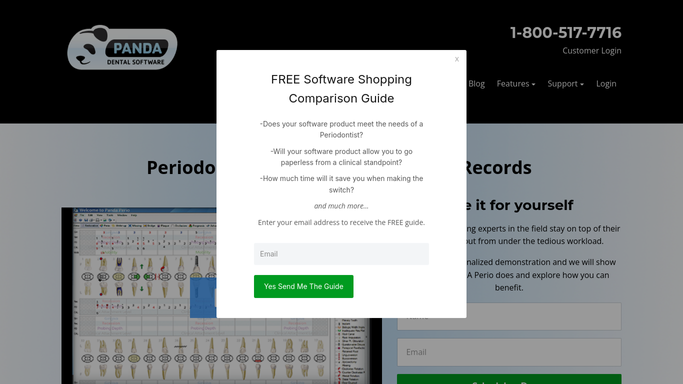
WebRun opens Panda Perio to pull next week's surgical schedule. - Open Panda Perio and pull surgical and graft cases scheduled for the coming week
- For each, capture the patient, the planned procedure codes, and the insurance plan on file
- Note the estimated fee so it can be checked against remaining benefits
Done when Every upcoming surgical case is listed with its procedure codes and plan on file.
-
2
Google Sheets - record eligibility and remaining benefits
google.com How to Automate Google Sheets

WebRun records eligibility and remaining benefits in Google Sheets. - Open the eligibility worksheet in Google Sheets and add a row for each surgical patient
- Record the verified plan status, remaining annual maximum, deductible met, and any frequency or waiting-period limit on the planned codes
- Flag rows where the remaining maximum falls short of the estimated fee or a waiting period applies
Done when Each surgical case has its eligibility detail recorded and any shortfall flagged.
-
3
Slack - post the billing worklist
slack.com How to Automate Slack

WebRun posts the eligibility worklist to your billing team. - Post a billing worklist to the team Slack channel, surgery date soonest first
- Call out cases with a coverage shortfall, an unmet waiting period, or an inactive plan, using the chart identifier
- Leave patient financial conversations to your team. WebRun surfaces the numbers, it never contacts the patient
Done when Billing has this week's eligibility worklist in Slack with problem cases flagged.
How is each run configured?
Secure by default
Connect once, stays signed in
WebRun signs in once and keeps each session in a persistent environment, so every run picks up right where it left off.
Every action is checked against this policy before it runs.
Questions, answered
Does it contact the patient about their coverage?
No. WebRun records the eligibility detail in Google Sheets and posts an internal worklist in Slack for your billing team. Any financial conversation with the patient stays with your staff.
What does it actually verify?
The plan status, remaining annual maximum, deductible met, and any frequency or waiting-period limit on the planned procedure codes, checked against the estimated fee so a shortfall is caught before the surgery date.
Is patient information exposed in Slack?
No. The Slack worklist uses the chart identifier and the benefit numbers only. Full eligibility detail lives in your Google Sheets and Panda Perio, not in the message.
Related templates
Put this on autopilot.
Turn it on in minutes - or have our team set it up for you.