Bring lapsed kids back for their six-month checkup
Every Monday, WebRun opens Oryx Dental, finds children whose six-month recall is overdue with no future visit booked, writes them to a Google Sheets reactivation list, and drafts a warm come-back email campaign in Mailchimp for your team to review and send.
- No credit card
- Under $0.01 per run
- Cancel anytime
How do I automatically reactivate children overdue for their dental recall?
WebRun checks Oryx Dental every Monday for children whose six-month recall is overdue with no future visit booked. It writes them to a Google Sheets list sorted by how lapsed they are, then drafts a warm come-back campaign in Mailchimp segmented to those guardians, so your team reviews and sends the outreach that brings kids back.
- Lapsed children get a timely nudge instead of falling off the schedule
- The team reviews a ready campaign rather than pulling the list by hand
- Children who already rebooked are excluded from live Oryx status
Built for pediatric dentists · dental hygiene coordinators · pediatric practice managers · childrens dental clinics
What does WebRun do on every run?
The exact actions WebRun takes, in order - in plain language, so you can adjust anything.
-
WebRun signs in and gets to work
Opens
portal.oryxdental.comin a real browser with your saved login - no setup, no API keys. -
1
Oryx Dental - find children overdue for recall
oryxdental.com How to Automate Oryx Dental
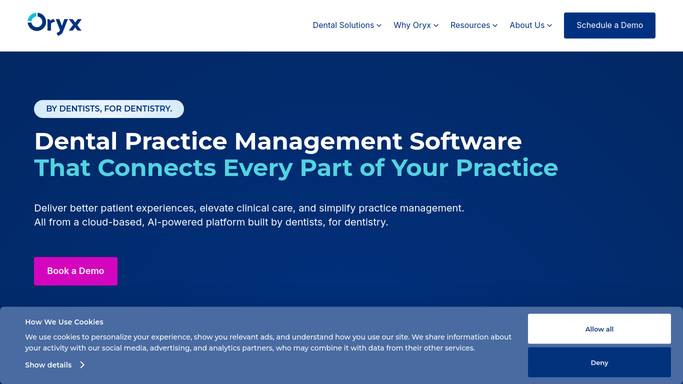
WebRun opens Oryx Dental to find children overdue for recall. - Open Oryx Dental and filter to children whose last hygiene or recall visit was six or more months ago
- Keep only those with no future appointment already scheduled
- Capture the child's first name, guardian contact, last visit date, and provider
- Note any child flagged as higher-risk or with treatment left incomplete
Done when Every child overdue for a six-month recall is listed with their guardian contact and last visit.
-
2
Google Sheets - build the reactivation list
google.com How to Automate Google Sheets

WebRun opens Google Sheets to build the reactivation list. - Open the recall reactivation spreadsheet in Google Sheets
- Add a dated row per overdue child with guardian contact, last visit, and months overdue
- Sort by months overdue so the longest-lapsed families surface first
- Mark higher-risk children so the team can prioritize outreach
Done when The reactivation list is up to date and sorted by how overdue each child is.
-
3
Mailchimp - draft the come-back campaign for approval
mailchimp.com How to Automate Mailchimp

WebRun opens Mailchimp to draft the come-back campaign for approval. - Draft a warm, family-friendly come-back email reminding guardians it is time for their child's checkup
- Segment the draft campaign to the overdue guardians from the reactivation list
- Save the campaign as a draft in Mailchimp. Do not send it to families automatically
- Note the recipient count so your team can review the segment before sending
Done when A reactivation email campaign is drafted in Mailchimp, unsent, awaiting your review.
How is each run configured?
Secure by default
Connect once, stays signed in
WebRun signs in once and keeps each session in a persistent environment, so every run picks up right where it left off.
Every action is checked against this policy before it runs.
Questions, answered
Will it email families without me?
No. The Mailchimp campaign is saved as a draft with the audience segmented, and your team reviews the message and recipient list before sending. No come-back email reaches a family on its own.
How does it avoid contacting kids who already rebooked?
It reads live status in Oryx Dental each Monday and includes only children with no future appointment, so anyone who already scheduled is left off the reactivation list automatically.
Can it prioritize the children who need care most?
Yes. It sorts the Google Sheets list by how overdue each child is and marks higher-risk children or those with incomplete treatment, so your team can reach the most important families first.
Related templates
Put this on autopilot.
Turn it on in minutes - or have our team set it up for you.