Follow up on every online inquiry before the lead goes cold
Every morning, WebRun checks Gmail for new online inquiries submitted overnight via your website contact form or Google Business Profile, drafts a personalized follow-up reply for each one referencing the item or service they asked about, and stages every draft in Slack for a staff member to review and approve before it is sent.
- No credit card
- Under $0.01 per run
- Cancel anytime
How do I automatically follow up on online inquiries for my pawn shop?
WebRun checks Gmail every morning for new website and online inquiries, drafts a personalized reply for each one using inventory context from Bravo Store Systems, and posts the full queue to Slack for staff approval before any response is sent. No customer inquiry waits more than one business day without a drafted follow-up.
- Every online inquiry gets a drafted reply the same morning it arrives
- Staff approve all responses before sending, keeping answers accurate and on-brand
- Inventory context is pulled automatically so replies are specific to what the customer asked about
Built for pawn shop owners · pawn shop managers · pawn shop sales staff
What does WebRun do on every run?
The exact actions WebRun takes, in order - in plain language, so you can adjust anything.
-
WebRun signs in and gets to work
Opens
mail.google.comin a real browser with your saved login - no setup, no API keys. -
1
Gmail - collect new inquiry emails
gmail.com How to Automate Gmail

WebRun opens Gmail to collect new inquiry emails. - Open Gmail and filter for new inquiry emails received since yesterday's run
- Identify the inquiry type: item valuation request, buying inquiry, pawn loan question, or general question
- Extract the customer name, contact details, and the item or topic they asked about
Done when All new inquiries are collected with the customer contact and inquiry details.
-
2
Bravo Store Systems - check inventory or loan context for the inquiry
bravostoresystems.com
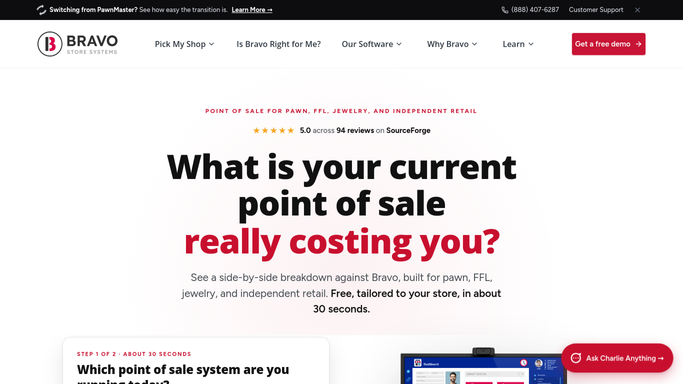
WebRun opens Bravo Store Systems to check inventory or loan context for the inquiry. - Open Bravo Store Systems and search inventory for any item matching the inquiry description
- Note whether a similar item is currently in stock, recently sold, or out of stock
- Pull current buying price ranges for the item category to inform the draft reply
Done when Relevant inventory context is captured for each inquiry to personalize the response.
-
3
Slack - queue draft replies for staff approval
slack.com How to Automate Slack

WebRun opens Slack to queue draft replies for staff approval. - Post a Slack summary listing each new inquiry, the customer name, and the inquiry topic
- Attach the draft Gmail reply for each inquiry and note any inventory context found
- Flag any inquiry that may need a phone call instead of an email response
Done when Staff see today's inquiry queue in Slack with draft replies ready for approval.
How is each run configured?
Secure by default
Connect once, stays signed in
WebRun signs in once and keeps each session in a persistent environment, so every run picks up right where it left off.
Every action is checked against this policy before it runs.
Questions, answered
Will WebRun send replies to customers automatically?
No. Every reply is saved as a Gmail draft and held for staff review. Nothing is sent until a team member opens the draft and approves it. This keeps your responses accurate, personal, and aligned with your shop's current inventory and pricing.
What if the customer asks about an item you do not currently have in stock?
WebRun checks Bravo Store Systems for matching inventory and notes the result in the Slack summary. If no match is found, the draft reply still goes to the queue so a staff member can respond with alternative options or invite the customer to add the item to their wishlist.
Can it handle inquiries from multiple sources, like Facebook or Yelp messages?
Yes. Any inquiry that lands in Gmail can be processed. If your Facebook or Yelp messages are forwarded to Gmail, WebRun will pick them up in the same daily run and draft a reply for staff review.
Related templates
Put this on autopilot.
Turn it on in minutes - or have our team set it up for you.