Track your transient and monthly parker mix
Every night, WebRun opens Flash Parking, counts the day's transient, monthly, and reserved parkers for each garage, logs the mix to a running sheet, and posts your team a short Slack summary of how the mix is trending against the prior week.
- No credit card
- Under $0.01 per run
- Cancel anytime
How do I track my transient versus monthly parker mix?
WebRun counts each garage's completed parking sessions in Flash Parking every night and splits them into transient, monthly, and reserved by their actual rate type. It logs the mix to a running Google Sheet against a 7 day rolling average, then posts your team a Slack summary that flags any garage where the monthly share is dropping.
- The parker mix is logged automatically every night, no manual pull
- Monthly parker churn gets flagged at a 10 point share drop
- A 7 day rolling average keeps one bad day from looking like a trend
Built for parking garage operators · revenue managers · parking management companies · monthly permit programs
What does WebRun do on every run?
The exact actions WebRun takes, in order - in plain language, so you can adjust anything.
-
WebRun signs in and gets to work
Opens
www.flashparking.comin a real browser with your saved login - no setup, no API keys. -
1
Flash Parking - count parkers by type
flashparking.com How to Automate Flash Parking
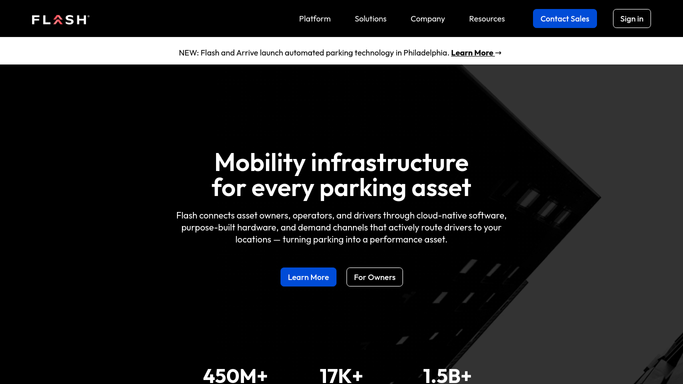
WebRun opens Flash Parking to count parkers by type. - Open Flash Parking and pull the day's completed sessions for each garage
- Split the count into transient, monthly, and reserved parkers
- Calculate each type's share of the day's total
Done when Every garage's parker mix for the day has been counted.
-
2
Google Sheets - log the daily mix
google.com How to Automate Google Sheets

WebRun opens Google Sheets to log the daily mix. - Append the day's mix to the running log, one row per garage
- Calculate the 7 day rolling average for each parker type's share
Done when The mix log reflects today's counts and the rolling average.
-
3
Slack - post the trend summary
slack.com How to Automate Slack

WebRun opens Slack to post the trend summary. - Post a short summary of today's mix against the 7 day average
- Flag any garage where the monthly share dropped more than 10 points
Done when Your team has today's mix trend summary in Slack.
How is each run configured?
Secure by default
Connect once, stays signed in
WebRun signs in once and keeps each session in a persistent environment, so every run picks up right where it left off.
Every action is checked against this policy before it runs.
Questions, answered
How does it define transient versus monthly?
It reads each session's rate type directly from Flash Parking, transient, monthly, or reserved, so the mix reflects how the parker actually paid, not an estimate.
What triggers a flag in the report?
A garage whose monthly parker share drops more than 10 points against its own 7 day rolling average, a sign monthly parkers may be churning.
Does it include validated parking in the mix?
This report focuses on transient, monthly, and reserved parkers. Validation usage is covered separately so the mix isn't skewed by merchant-paid sessions.
Related templates
Put this on autopilot.
Turn it on in minutes - or have our team set it up for you.