Get rate changes approved before they go live
Every hour, WebRun compares current occupancy and demand against each garage's active rate table in Flash Parking, drafts a proposed new rate when demand has meaningfully shifted, and posts it to Slack for a manager to approve before it ever goes live, logging the outcome in a sheet.
- No credit card
- Under $0.01 per run
- Cancel anytime
What does WebRun do on every run?
The exact actions WebRun takes, in order - in plain language, so you can adjust anything.
-
WebRun signs in and gets to work
Opens
www.flashparking.comin a real browser with your saved login - no setup, no API keys. -
1
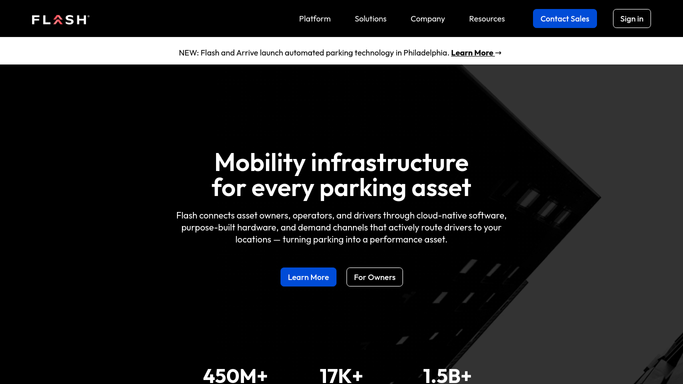
Flash Parking - spot a demand shift and draft a rate
flashparking.com How to Automate Flash Parking

WebRun opens Flash Parking to spot a demand shift and draft a rate. - Open Flash Parking rate management and compare current occupancy and time of day against each garage's active rate
- Calculate a suggested new rate when demand has shifted meaningfully since the last check
- Save it as a pending rate change. WebRun never activates a rate on its own
Done when A pending rate proposal exists for every garage with a meaningful demand shift.
-
2
Slack - send the proposal for approval
slack.com How to Automate Slack
WebRun opens Slack to send the proposal for approval. - Post the proposed rate change with the current rate, the suggested rate, and the occupancy trend driving it
- Tag the pricing manager and wait for an approve or reject reply
- Never mark a rate as active until the manager responds
Done when The pricing manager has a clear approve or reject decision waiting in Slack.
-
3
Google Sheets - log the decision
google.com How to Automate Google Sheets
WebRun opens Google Sheets to log the decision. - Log every proposed rate change with the garage, timestamp, old rate, and new rate
- Mark it approved, rejected, or pending once the manager responds
Done when The rate-change log reflects the outcome of every proposal.


How do I approve parking rate changes based on demand?
WebRun compares live occupancy and demand against each garage's active rate table in Flash Parking every hour. When demand has shifted enough to justify a change, it drafts a proposed new rate and posts it to Slack for a manager to approve, logging the outcome in Sheets, so pricing responds to real demand without a rate ever going live unapproved.
- No rate change goes live without a manager's explicit approval
- Pricing responds to real demand shifts within the hour they happen
- A full audit log of every proposed and approved rate change
Built for parking garage operators · revenue managers · parking management companies · downtown garage operators
How is each run configured?
Secure by default
Connect once, stays signed in
WebRun signs in once and keeps each session in a persistent environment, so every run picks up right where it left off.
Every action is checked against this policy before it runs.
Questions, answered
Will it change prices without my approval?
No. Every proposed rate is posted to Slack and stays pending until a manager approves it. WebRun never activates a rate change on its own.
How does it decide a new rate is needed?
It compares live occupancy and time of day against each garage's active rate table every hour, and proposes a change only when demand has shifted meaningfully.
Where can I see the history of rate changes?
In the Google Sheets log, which records every proposal with the old rate, the new rate, and whether it was approved or rejected.
Related templates
Put this on autopilot.
Turn it on in minutes - or have our team set it up for you.