How to Automate Flash Parking
Flash Parking automates the lane. Vision reads plates, Express Pay charges a driver without a kiosk stop, Flex Mode decides whether the gate stays up, and Business Intelligence reports the day. Comparing that day with rates, events and chargers outside the garage is where a browser agent like WebRun helps.
 Written by
Yara Haddad
Data operations
Written by
Yara Haddad
Data operations
 Reviewed by
Priya Raghavan
Solutions lead
Reviewed by
Priya Raghavan
Solutions lead
A garage collects money all night with nobody in it
Flash, whose site still carries the FlashParking name, is the software a parking deck runs on. FlashOS sits behind the gates, the kiosks and the valet stand, and it is what an operator opens to see what a location did yesterday. The company took its present shape when FlashParking merged with Arrive, the business behind the ParkWhiz app, and it sells to real estate owners, airports, hospitals, universities and venues.
What that hides is how unattended the business underneath is. A commercial deck takes money from three in the morning onwards, from people who never speak to anyone. Permit holders badge in. Transients pull a ticket or get a plate read. A restaurant validates. A contractor sits all day in a bay reserved for a tenant.
The whole day happens without a person deciding anything, which is why the reports matter more here than in most businesses.
Reconciling yesterday takes a morning of tabs and printouts
The garage runs itself. Proving what it did is the job.
Validations are the worst of it. A dozen merchants hand out codes, and what the property bills back has to agree with what the merchant thinks it issued, which lives in that merchant's records or a spreadsheet somebody emails on a Tuesday. The cash drop has to agree with the armoured carrier's pickup and the bank deposit: three systems and one envelope.
Then the exceptions. A gate arm that threw errors between two and five in the morning, sitting in a log nobody reads until a tenant complains. A lost ticket fee applied fourteen times in one shift, which is either a broken reader or a cashier. An EV charger faulted on the charging network's dashboard, invisible from the parking system, until a tenant with a new car writes in.
None of it is scheduled work. It is a morning, every morning, spent proving a machine did what it said.
Express Pay and Vision close out the lane on their own
Flash automates the lane properly, and that is the part worth setting up fully before anything else.
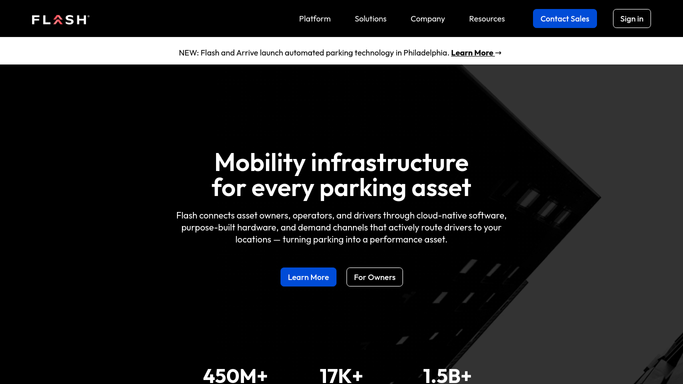
Vision is the plate reading camera, and it is what lets Express Pay charge a driver on the way out with no kiosk stop and no ticket. Flex Mode makes access itself camera based, so a location can run gates up, gates down or a mix, and change by time of day. The valet software lets a guest text for their car. Business Intelligence reports the result by location and by hour: occupancy, revenue, parker mix.
That is a complete operating picture of the deck.
It is also a picture of the deck and nothing else. What Flash reports is what happened inside the garage. The rate the operator across the street posted this morning, the concert that fills the block on Thursday, the charger's status on the network that owns it, the merchant's own record of the codes it issued: none of that is in FlashOS, and all of it decides whether yesterday's numbers were any good.
Occupancy is a number worth comparing with the street outside
A parking operator makes two or three decisions a week worth real money, and every one needs something from outside the garage.
Posted rates at the competing decks on the block, read each morning off their own pages and set against yesterday's occupancy curve, so a deck full by nine gets repriced rather than admired. The arena and convention centre calendars pulled a week ahead, so Thursday's rate is set before the on-sale, not after the lot fills.
Validation records collected from each merchant's portal and matched against what the property billed, so a restaurant issuing twice what it reports becomes a conversation with evidence. Charger status read from the network's dashboard, since a stall faulted for nine days is lost revenue and a complaint at once.
Permit waitlists checked against the tenant roster in the property management system, so an expiring badge and a waiting name meet in the same email. And the municipal side: meter rate changes, street closures and construction notices, which move demand onto your deck without warning.
All of that reading can run unattended. Changing a rate, cancelling a permit or billing a merchant stops at a draft and waits for the operator.
Rate decisions should not wait on a spare afternoon
The comparing itself is not hard. It is six logins and forty minutes that never make it onto anyone's list, on a day when there is a gate arm down on level three.
WebRun is an AI agent that works a real Chrome browser, signed in as you. It opens the competitor's rate page, the arena calendar, the charging dashboard and the merchant portals, reads what is on the screen, and brings the answer back as a digest or a comparison against what Flash reported.
You set the schedule, it runs in your own private environment, and you can watch a run and stop it. Nothing that changes a rate, a permit or a bill goes out on its own: it is prepared and left for a person.
The workflows below are already built, and each one names the sites it opens.
Questions people ask
Would it change a rate or open a gate?
No. Rate changes, permit edits and anything touching access are prepared and left for an operator to approve. The unattended half is reading and comparing, which is where the hours actually go.
We run twelve locations for eight different owners. Does that break it?
No. Each location gets its own run and its own logins, and the output can be split the way the owners are. Nothing crosses between them unless you set it up that way.
Cash and validation figures are sensitive. Where does what it reads end up?
It runs in your own private environment, signed in as you, and what it reads stays there. Reports go where you point them, and nothing is handed to a shared service along the way.
12 ready-made Flash Parking workflows
Each one names the apps it touches and the exact steps it takes. Open one to read what it will do, then turn it on.




Want one of these running on your own Flash Parking?
Show WebRun the process once and it will run it on schedule, in your own private browser environment.