Flag gate errors before they back up traffic
Every hour, WebRun scans entry and exit transaction logs in Flash Parking for gate and lane errors like failed ticket reads or an arm that won't lower, posts an immediate Slack alert to your on-site team, and opens a maintenance ticket in Zendesk for any gate erroring repeatedly.
- No credit card
- Under $0.01 per run
- Cancel anytime
What does WebRun do on every run?
The exact actions WebRun takes, in order - in plain language, so you can adjust anything.
-
WebRun signs in and gets to work
Opens
www.flashparking.comin a real browser with your saved login - no setup, no API keys. -
1
Flash Parking - scan entry and exit logs
flashparking.com How to Automate Flash Parking

WebRun opens Flash Parking to scan entry and exit logs. - Open Flash Parking and scan the hour's entry and exit logs for error codes
- Group errors by gate and lane, covering failed reads, anti-passback rejections, and arms that failed to cycle
- Note any gate with 3 or more errors in the hour
Done when Every gate's error count for the hour has been checked.
-
2
Slack - alert the on-site team
slack.com How to Automate Slack
WebRun opens Slack to alert the on-site team. - Post an alert to the on-site operations channel naming the gate, lane, and error type
- Mark a gate urgent if it has 3 or more errors in the hour
Done when The on-site team has the error alert with gate and lane.
-
3
Zendesk - open a maintenance ticket
zendesk.com How to Automate Zendesk
WebRun opens Zendesk to open a maintenance ticket. - For any gate flagged urgent, open a facilities maintenance ticket with the gate, lane, error type, and count
- Attach the last hour's error log for context
Done when A maintenance ticket exists for every gate erroring repeatedly.
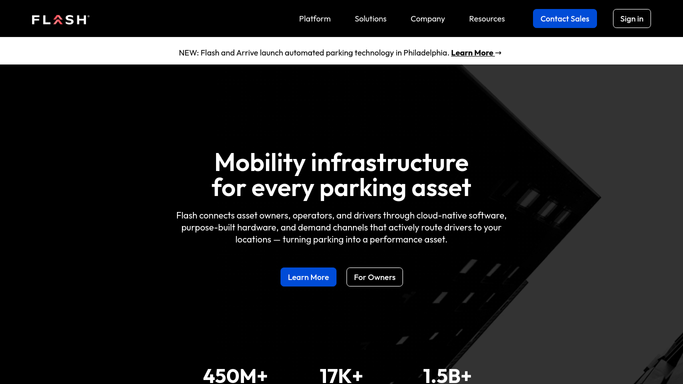


How do I catch parking gate errors before they cause a traffic backup?
WebRun scans Flash Parking's entry and exit logs every hour for gate errors like failed ticket reads, anti-passback rejections, and arms that fail to cycle. It alerts your on-site team in Slack as soon as an error appears, and once a gate hits 3 or more errors in the hour, opens a maintenance ticket in Zendesk with the error log attached.
- Gate errors get flagged within the hour, before traffic backs up
- A maintenance ticket opens automatically once a pattern is real
- On-site staff see the exact gate, lane, and error type every time
Built for parking garage operators · gated facility managers · airport parking operations · parking management companies
How is each run configured?
Secure by default
Connect once, stays signed in
WebRun signs in once and keeps each session in a persistent environment, so every run picks up right where it left off.
Every action is checked against this policy before it runs.
Questions, answered
What counts as a gate error?
A failed ticket or credential read, an anti-passback rejection, or a gate arm that didn't lower or raise as expected. WebRun reads these directly from the transaction log in Flash Parking.
Does it open or close the gate remotely?
No. It only flags the error and, for repeated faults, opens a maintenance ticket. Clearing a jam or overriding a gate stays with your on-site staff.
How many errors before it opens a ticket?
3 or more at the same gate within an hour. A single misread doesn't open a ticket, but a real pattern does.
Related templates
Put this on autopilot.
Turn it on in minutes - or have our team set it up for you.