Catch a security advisory the day it's published
Every morning, WebRun opens Packagist, checks for new security advisories affecting any package your team depends on, posts the advisory details to Telegram naming the package and severity, and texts the lead engineer through Twilio when the advisory is rated critical so a serious dependency vulnerability gets patched fast.
- No credit card
- Under $0.01 per run
- Cancel anytime
How do I get alerted about new Packagist security advisories?
WebRun checks Packagist every morning for new security advisories affecting packages your team depends on. It posts every advisory to Telegram with its package and severity, and texts the lead engineer through Twilio when it's rated critical, so a serious dependency vulnerability gets patched fast instead of sitting unnoticed.
- Critical advisories reach the lead engineer the same morning they publish
- Every advisory affecting your dependencies is visible in Telegram
- Patching starts faster since nothing sits buried in a mailing list
Built for PHP engineering teams · security engineers · DevSecOps · platform teams
What does WebRun do on every run?
The exact actions WebRun takes, in order - in plain language, so you can adjust anything.
-
WebRun signs in and gets to work
Opens
packagist.org/loginin a real browser with your saved login - no setup, no API keys. -
1
Packagist - check for new security advisories
packagist.org
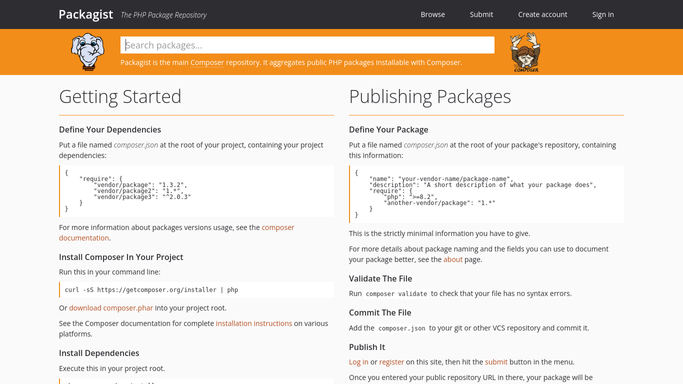
WebRun opens Packagist to check for new security advisories. - Open Packagist and check for new security advisories on packages your team depends on
- Capture the package, affected version range, and severity for each
- Separate out anything rated critical
Done when Every new advisory since yesterday is listed with its package and severity.
-
2
Telegram - post the advisory to the team
telegram.org How to Automate Telegram

WebRun opens Telegram to post the advisory to the team. - Post each new advisory to the team channel with its package and severity
- Show the affected version range
- Note which ones are also being texted to the lead
Done when The team channel has a post for every new advisory.
-
3
Twilio - text the lead on a critical advisory
twilio.com How to Automate Twilio

WebRun opens Twilio to text the lead on a critical advisory. - Text the lead engineer only for advisories rated critical
- Name the package and affected version range
- Skip the text for lower severity advisories
Done when The lead engineer has a text for every critical advisory.
How is each run configured?
Secure by default
Connect once, stays signed in
WebRun signs in once and keeps each session in a persistent environment, so every run picks up right where it left off.
Every action is checked against this policy before it runs.
Questions, answered
Will it upgrade the affected dependency?
No. WebRun only reports the advisory. Upgrading a dependency is always done by an engineer, after checking it doesn't break anything.
How does it know a package is one my team depends on?
It checks advisories against the dependencies listed in your project's composer file, so unrelated advisories don't create noise.
Why text only for critical advisories?
So the lead engineer's phone is reserved for what needs immediate attention. Lower severity advisories still post to Telegram for visibility.
Related templates
Put this on autopilot.
Turn it on in minutes - or have our team set it up for you.