Flag newly eligible oncology patients for clinical trials
Every Monday, WebRun opens NextGen, reviews active oncology patients against the eligibility criteria for your open clinical trials, and posts a candidate list to your research coordinator's Slack so promising patients can be approached before their treatment window closes.
- No credit card
- Under $0.01 per run
- Cancel anytime
How do I automatically identify oncology patients who may qualify for clinical trials in NextGen?
WebRun reviews your NextGen patient records every Monday, compares each active oncology patient's diagnosis and treatment history against your open clinical trial eligibility criteria, and posts a grouped candidate list to your research coordinator in Slack. The coordinator evaluates each candidate before any patient is approached, so enrollment is always human-led.
- No eligible oncology patient misses a clinical trial enrollment window
- Research coordinator has a weekly grouped candidate list without manual chart review
- Enrollment decisions remain with clinical staff after coordinator evaluation
Built for oncology research coordinators · cancer center clinical trial teams · oncology physicians
What does WebRun do on every run?
The exact actions WebRun takes, in order - in plain language, so you can adjust anything.
-
WebRun signs in and gets to work
Opens
www.nextgen.comin a real browser with your saved login - no setup, no API keys. -
1
NextGen - scan patient records for trial eligibility criteria
nextgen.com How to Automate NextGen
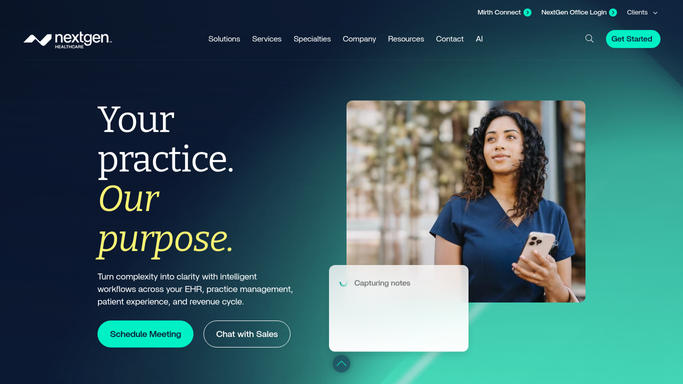
WebRun opens NextGen to scan patient records for trial eligibility criteria. - Open NextGen and pull active oncology patients with their diagnosis codes, cancer stage, and current treatment plan
- Compare each patient's profile against the eligibility criteria for your active trials, such as diagnosis type, line of therapy, and performance status
- Flag patients who appear to meet the inclusion criteria and do not appear to meet any exclusion criteria
- Note the patient's MRN, diagnosis, treating oncologist, and which trial they may qualify for
Done when Every patient whose profile matches an open trial's eligibility criteria is identified with relevant details.
-
2
Slack - post candidate list for research coordinator review
slack.com How to Automate Slack

WebRun opens Slack to post candidate list for research coordinator review. - Post the clinical trial candidate list to the research coordinator's Slack channel
- Group candidates by trial, listing MRN, diagnosis, and the reason for the flag
- Include the treating oncologist's name so the coordinator can reach out for a referral conversation
Done when The research coordinator has this week's trial candidate list in Slack for evaluation.
How is each run configured?
Secure by default
Connect once, stays signed in
WebRun signs in once and keeps each session in a persistent environment, so every run picks up right where it left off.
Every action is checked against this policy before it runs.
Questions, answered
Will it enroll patients in trials automatically?
No. Enrollment requires informed consent, physician referral, and sponsor screening. WebRun flags candidates for your research coordinator to evaluate. Every enrollment decision is made by a human.
How accurate is the eligibility matching?
WebRun matches against the criteria you configure at setup, such as diagnosis codes, treatment lines, and performance status from NextGen. Your coordinator then confirms clinical suitability before approaching any patient.
Can it handle multiple trials at once?
Yes. You configure one set of criteria per open trial, and the weekly run checks all active patients against every trial simultaneously, grouping candidates by trial in the Slack post.
Related templates
Put this on autopilot.
Turn it on in minutes - or have our team set it up for you.