Start every week with a full picture of your caseload
Every Monday morning, WebRun opens Healthie, tallies active clients, last week's completed sessions, no-shows, and this week's upcoming appointments, logs the figures to Google Sheets, and posts a concise caseload digest to Slack so you start the week with full situational awareness.
- No credit card
- Under $0.01 per run
- Cancel anytime
How do I get a weekly caseload and no-show summary for my nutrition practice?
WebRun opens Healthie every Monday, tallies active clients, last week's completed sessions and no-shows, and this week's upcoming appointments, then logs the figures to Google Sheets and posts a concise digest to Slack. Metrics that spike week-over-week are flagged so you can spot trends and start every week fully informed.
- Every Monday starts with a clear picture of caseload and session trends
- No-show rate changes are flagged before they become a problem
- Historical caseload data builds up automatically in Google Sheets week by week
Built for registered dietitians · nutrition practice owners · multi-clinician nutrition practices · dietitian practice managers
What does WebRun do on every run?
The exact actions WebRun takes, in order - in plain language, so you can adjust anything.
-
WebRun signs in and gets to work
Opens
secure.gethealthie.comin a real browser with your saved login - no setup, no API keys. -
1
Healthie - compile caseload and no-show data
gethealthie.com How to Automate Healthie
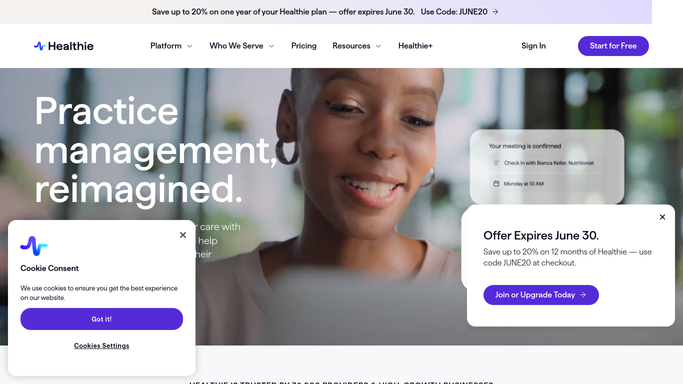
WebRun opens Healthie to compile caseload and no-show data. - Open Healthie and navigate to the Appointments and Clients sections
- Count active clients with at least one appointment in the past 30 days
- Count completed sessions and no-shows from the prior 7 days
- List upcoming appointments for the current week with client names and session types
Done when Active client count, prior-week session totals, no-show count, and this week's schedule are all captured.
-
2
Google Sheets - log weekly caseload metrics
google.com How to Automate Google Sheets

WebRun opens Google Sheets to log weekly caseload metrics. - Open the weekly caseload metrics Google Sheet
- Append a new row for the current week with active client count, completed sessions, no-shows, and appointments this week
- Calculate the no-show rate for the prior week
Done when This week's caseload metrics are logged and the no-show rate is calculated.
-
3
Slack - post the Monday caseload digest
slack.com How to Automate Slack

WebRun opens Slack to post the Monday caseload digest. - Post the weekly caseload digest to your designated Slack channel
- Include active client count, prior-week sessions completed, no-show count and rate, and appointments booked this week
- Flag any metric that has changed by more than 20% compared to the previous week
Done when The Monday caseload digest is live in Slack with any notable changes highlighted.
How is each run configured?
Secure by default
Connect once, stays signed in
WebRun signs in once and keeps each session in a persistent environment, so every run picks up right where it left off.
Every action is checked against this policy before it runs.
Questions, answered
Does it share any client health information in the Slack digest?
No. The digest contains only aggregate counts and your own schedule (client names in the upcoming appointments list). It never includes clinical notes, diagnoses, or personal health details in Slack.
Can it track no-show rates over time?
Yes. Every week's figures are appended to the Google Sheet, so you can view trends over time and spot if no-show rates are rising before they become a significant problem.
Can it cover multiple practitioners in a group practice?
Yes. WebRun can be configured to pull caseload data for each practitioner separately and include per-clinician breakdowns in both the Slack digest and the Google Sheet.
Related templates
Put this on autopilot.
Turn it on in minutes - or have our team set it up for you.