Send signing appointment reminders so signers show up prepared
Every morning, WebRun checks Snapdocs for signings scheduled for the next day, drafts a reminder email to each signer with the appointment details and what to bring, and logs the reminder in your tracking sheet so you always know what went out.
- No credit card
- Under $0.01 per run
- Cancel anytime
How do I automatically send appointment reminders to notary signing clients?
WebRun checks Snapdocs every morning for signings scheduled the following day, drafts a reminder email for each signer with the appointment time, address, and preparation details, and logs the outreach in your Google Sheet. Reminders stay in Gmail as drafts until you approve them, keeping you in control of every signer communication.
- Signers arrive prepared with the right ID and documents, reducing delays
- No-show rates drop because every signer gets a timely day-before reminder
- Your tracker is updated automatically so you can see what outreach went out
Built for notary signing agencies · mobile notaries · loan signing agents · title company signing coordinators
What does WebRun do on every run?
The exact actions WebRun takes, in order - in plain language, so you can adjust anything.
-
WebRun signs in and gets to work
Opens
app.snapdocs.comin a real browser with your saved login - no setup, no API keys. -
1
Snapdocs - find tomorrow's signings
snapdocs.com
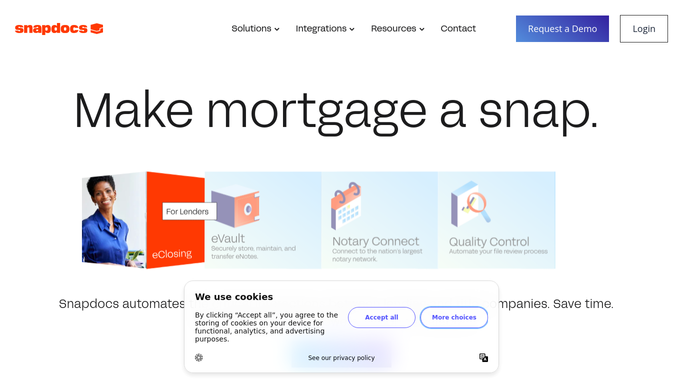
WebRun opens Snapdocs to find tomorrow's signings. - Open Snapdocs and filter for confirmed signings scheduled for tomorrow
- Capture the signer name, email, appointment time, and signing address for each
- Note any special instructions from the title company or loan officer
Done when All confirmed signings for tomorrow are listed with signer contact details.
-
2
Gmail - draft reminder to each signer
gmail.com How to Automate Gmail

WebRun opens Gmail to draft reminder to each signer. - Draft a reminder email for each signer with the appointment date, time, and address
- Include what forms of ID to bring and what to expect during the signing
- Leave each draft unsent for your review before it reaches the signer
Done when A reminder draft is ready in Gmail for every signer with a tomorrow appointment.
-
3
Google Sheets - log reminders sent
google.com How to Automate Google Sheets

WebRun opens Google Sheets to log reminders sent. - Open the signing tracker sheet and locate the matching order row
- Update the Reminder Sent column with today's date for each order processed
- Flag any order where no signer email was found so you can follow up manually
Done when The tracker reflects the reminder status for all of tomorrow's signings.
How is each run configured?
Secure by default
Connect once, stays signed in
WebRun signs in once and keeps each session in a persistent environment, so every run picks up right where it left off.
Every action is checked against this policy before it runs.
Questions, answered
Will the reminders be sent to signers automatically?
No. WebRun drafts every reminder and leaves it in Gmail for your approval. You review and send, so no signer gets a message you have not seen first.
What if a signing is cancelled or rescheduled the same morning?
WebRun reads the live appointment list from Snapdocs each morning. Cancelled or rescheduled orders are not in the next-day queue and are skipped automatically.
Can I customize what the reminder says?
Yes. Provide your standard reminder language or a sample message when you set up the workflow, and WebRun will mirror that tone and format for every draft.
Related templates
Put this on autopilot.
Turn it on in minutes - or have our team set it up for you.