Bill completed signing orders without the manual paperwork
Every evening, WebRun opens Snapdocs, finds orders completed that day that have not yet been invoiced, creates a draft invoice in QuickBooks with the correct fee schedule and client details, and posts a billing summary to Slack so you can review and send before day's end.
- No credit card
- Under $0.01 per run
- Cancel anytime
How do I automatically invoice clients after notary signings are completed?
WebRun checks Snapdocs every evening for completed signings that have not yet been invoiced, creates a draft invoice in QuickBooks for each one using your fee schedule and the client's billing details, and posts a daily billing summary to Slack. No invoice is sent to a client until you review and approve it in QuickBooks.
- Every completed signing is invoiced the same day, not days later
- No completed order is accidentally skipped in your billing queue
- Your team sees the full day's billing value in Slack each evening
Built for notary signing agencies · mobile notary businesses · loan signing agents · signing service operators
What does WebRun do on every run?
The exact actions WebRun takes, in order - in plain language, so you can adjust anything.
-
WebRun signs in and gets to work
Opens
app.snapdocs.comin a real browser with your saved login - no setup, no API keys. -
1
Snapdocs - find completed uninvoiced orders
snapdocs.com
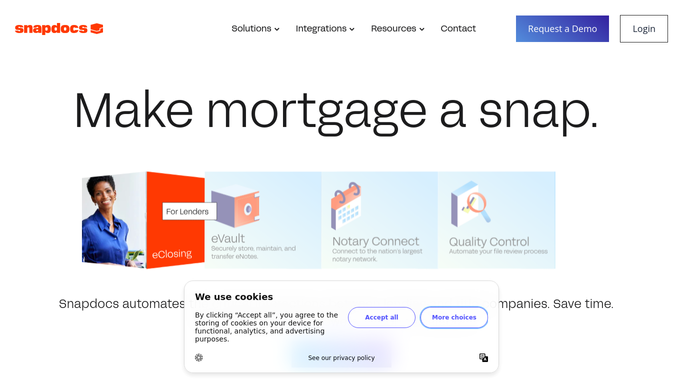
WebRun opens Snapdocs to find completed uninvoiced orders. - Open Snapdocs and filter for orders marked Complete today
- For each order, capture the title company or client name, order ID, loan type, and signing fee
- Skip any order that already has an invoice number recorded in the notes
Done when All completed, uninvoiced orders for today are listed with billing details.
-
2
QuickBooks - draft invoice for each order
- Open QuickBooks and navigate to the Create Invoice screen
- Create a draft invoice for each order using the title company's billing contact and the agreed signing fee
- Add the Snapdocs order ID as the reference number and leave the invoice as Draft for review
Done when A draft invoice exists in QuickBooks for every completed order, ready to review and send.
-
3
Slack - post daily billing summary
slack.com How to Automate Slack

WebRun opens Slack to post daily billing summary. - Post a billing summary to your finance or ops Slack channel
- List each order, the client, the fee amount, and the QuickBooks draft invoice number
- Note the total dollar value of today's completed signings
Done when Your team has today's billing summary in Slack.
How is each run configured?
Secure by default
Connect once, stays signed in
WebRun signs in once and keeps each session in a persistent environment, so every run picks up right where it left off.
Every action is checked against this policy before it runs.
Questions, answered
Will it send the invoices to clients automatically?
No. Every invoice is created as a Draft in QuickBooks and left for your review. You send it only after confirming the details are correct.
How does it know the right fee for each order?
WebRun applies your fee schedule based on loan type or client as you configure it. You set the rates once, and the workflow uses them for every order.
What if an order was already invoiced outside the workflow?
It checks for an existing invoice reference in Snapdocs order notes. If a reference is present, the order is skipped to avoid duplicates.
Related templates
Put this on autopilot.
Turn it on in minutes - or have our team set it up for you.