Get ahead of a late order with the customer
Every morning, WebRun opens Fulcrum, reviews jobs against their promised ship dates, finds the ones that will land late, drafts a clear heads-up email to each customer for your team to approve in Gmail, and posts the at-risk orders to your Slack channel.
- No credit card
- Under $0.01 per run
- Cancel anytime
How can I warn customers about late orders before the ship date?
Every morning, WebRun opens Fulcrum and reviews Job Tracking against promised ship dates, finding orders that will land late. It drafts a clear heads-up email to each customer in Gmail, leaves it unsent for your account manager to approve, and posts the at-risk orders to Slack, so customers hear about a slip from you before the deadline passes.
- Customers hear about a slip before the deadline
- Heads-up emails arrive pre-drafted per order
- No customer message goes out without approval
Built for account managers · customer service teams · production managers · custom manufacturers
What does WebRun do on every run?
The exact actions WebRun takes, in order - in plain language, so you can adjust anything.
-
WebRun signs in and gets to work
Opens
app.fulcrumpro.comin a real browser with your saved login - no setup, no API keys. -
1
Fulcrum - find jobs that will ship late
fulcrumpro.com How to Automate Fulcrum
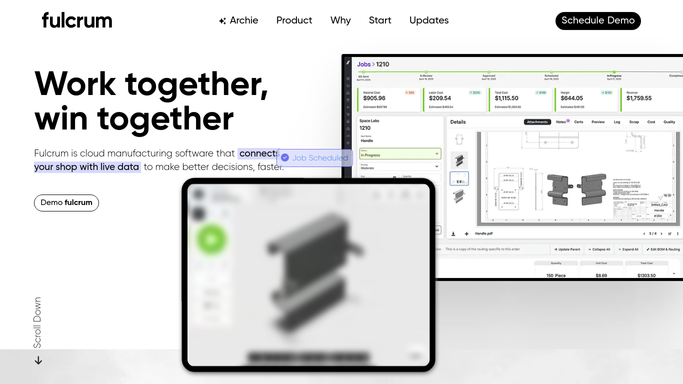
WebRun reviews Fulcrum job tracking for orders that will ship late. - Open Fulcrum and review Job Tracking against the schedule from Autoschedule
- Capture each job whose projected completion runs past its promised ship date
- Note the customer, order, original ship date, and the new projected date
Done when Every job projected to ship late is captured with its customer and revised date.
-
2
Gmail - draft the customer heads-up
gmail.com How to Automate Gmail

WebRun drafts each customer heads-up email and leaves it unsent. - Draft a short, on-brand heads-up email to each affected customer with the order and the revised date
- Keep the tone clear and apologetic and leave it unsent in Drafts
- Add a note so your account manager can adjust wording before sending
Done when A customer heads-up email sits in Drafts for each late order, ready for review.
-
3
Slack - post the at-risk orders
slack.com How to Automate Slack

WebRun posts the at-risk orders to your sales channel. - Post the at-risk orders to your sales channel with the customer and days late for each
- Note which heads-up emails are drafted and waiting for approval
- Flag the orders for your biggest customers first
Done when Your team has today's at-risk order list and knows which drafts await approval.
How is each run configured?
Secure by default
Connect once, stays signed in
WebRun signs in once and keeps each session in a persistent environment, so every run picks up right where it left off.
Every action is checked against this policy before it runs.
Questions, answered
Will it email customers about the delay on its own?
No. WebRun drafts each heads-up email and leaves it unsent in Gmail Drafts. Your account manager reviews the wording and the revised date, then sends it, so nothing reaches a customer without a human approving it.
How does it know a job will ship late?
It reads Job Tracking in Fulcrum and compares each job's projected completion from Autoschedule against its promised ship date, flagging any order whose projected date now runs past what the customer was promised.
Can it prioritise the most important customers?
Yes. The Slack list flags orders for your largest customers first, so your team can approve and send the most sensitive heads-up emails before the rest.
Related templates
 Shopify›
Put this on autopilot.
Turn it on in minutes - or have our team set it up for you.