Win back lapsed students with a personal invitation
Every Monday, WebRun opens Kicksite, finds students whose membership lapsed between 30 and 90 days ago and who have not been contacted recently, drafts a warm personal win-back email for each, and posts your team a prioritized Slack list so the most winnable students are contacted first.
- No credit card
- Under $0.01 per run
- Cancel anytime
How do I automatically reach out to lapsed martial arts students to win them back?
Every Monday, WebRun opens Kicksite and finds students whose membership lapsed 30 to 90 days ago. It drafts a warm, personalized win-back email for each in Gmail and delivers a ranked re-engagement list to Slack, so your team contacts the most winnable students first, with every message requiring staff approval before it sends.
- Lapsed students in the win-back window are identified every week without manual searching
- Win-back emails are drafted and ready for a personal touch before sending
- Students who opted out of contact are never included
Built for martial arts schools · dojos · BJJ academies · MMA gyms · karate studios
What does WebRun do on every run?
The exact actions WebRun takes, in order - in plain language, so you can adjust anything.
-
WebRun signs in and gets to work
Opens
app.kicksite.comin a real browser with your saved login - no setup, no API keys. -
1
Kicksite - find lapsed students
kicksite.com
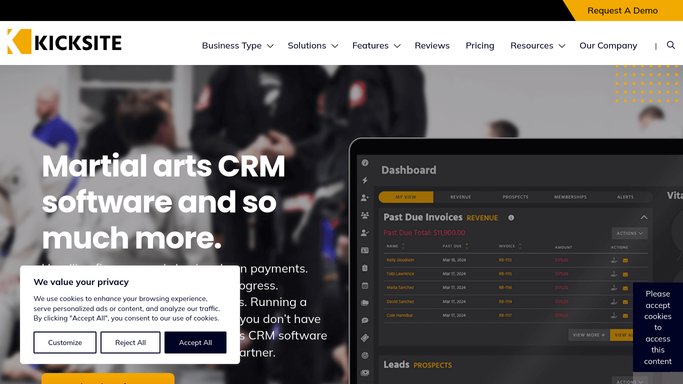
WebRun opens Kicksite to find lapsed students. - Open Kicksite and filter members to cancelled or lapsed status
- Narrow to students whose membership ended 30 to 90 days ago
- Capture each student's name, email, belt rank, and last active date
- Skip students who have already been contacted in the last 30 days or who have requested no contact
Done when Every winnable lapsed student is listed with their details and last active date.
-
2
Gmail - draft win-back emails
gmail.com How to Automate Gmail

WebRun opens Gmail to draft win-back emails. - Draft a warm, personal win-back email for each lapsed student
- Reference their belt rank and time training at the school
- Include a special returning-student offer if one applies
- Leave every draft unsent in Gmail for a staff member to review and personalize before sending
Done when A win-back draft is ready in Gmail for every identified lapsed student.
-
3
Slack - deliver re-engagement list
slack.com How to Automate Slack

WebRun opens Slack to deliver re-engagement list. - Post a ranked re-engagement list to the front-desk channel
- Sort by recency, with students who lapsed most recently at the top
- Include each student's name, rank, and lapse date
Done when The team has this week's win-back list in Slack, sorted from most to least winnable.
How is each run configured?
Secure by default
Connect once, stays signed in
WebRun signs in once and keeps each session in a persistent environment, so every run picks up right where it left off.
Every action is checked against this policy before it runs.
Questions, answered
Will it email former students automatically?
No. Every win-back message is drafted in Gmail and left unsent for staff to review, personalize, and approve. Former students only receive a message after a human decision.
Why the 30 to 90 day window?
Students lapsed under 30 days may still be returning naturally, and those over 90 days have lower re-engagement rates. The 30 to 90 day window targets the period with the best chance of winning someone back.
What if a student asked not to be contacted?
Students with a no-contact flag in Kicksite are automatically excluded from the win-back list, so your team never reaches out to someone who has opted out.
Related templates
Put this on autopilot.
Turn it on in minutes - or have our team set it up for you.