Run your daily delivery ops report automatically and own your morning
Every morning, WebRun opens Onfleet, collects yesterday's fleet-wide KPIs including total stops, on-time rate, average service time, miles driven, and failed deliveries, then writes a dated row to a Google Sheet ops report so managers have a clean daily record without manual data entry.
- No credit card
- Under $0.01 per run
- Cancel anytime
How do I automatically build a daily delivery ops report from Onfleet?
WebRun opens Onfleet Analytics each morning, captures the prior day's fleet KPIs including on-time rate, stops, failures, and mileage, and appends a dated row to a Google Sheet ops report. Ops and account managers start every day with accurate numbers already on file, with no manual data entry needed.
- Daily ops report is ready before the team's morning standup
- No manual KPI data entry from Onfleet to Google Sheets
- Rolling history builds automatically for trend analysis
Built for last mile delivery managers · fleet operations teams · logistics directors · e-commerce fulfillment ops
What does WebRun do on every run?
The exact actions WebRun takes, in order - in plain language, so you can adjust anything.
-
WebRun signs in and gets to work
Opens
onfleet.com/dashboardin a real browser with your saved login - no setup, no API keys. -
1
Onfleet - collect yesterday's fleet KPIs
onfleet.com How to Automate Onfleet
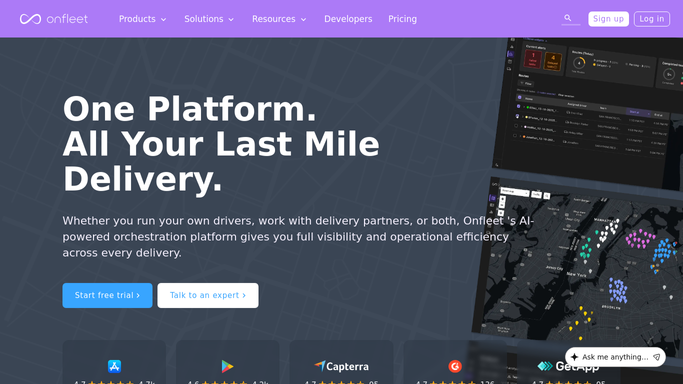
WebRun opens Onfleet to collect yesterday's fleet KPIs. - Open Onfleet and navigate to the Analytics section for the prior calendar day
- Capture total tasks, tasks completed on time, tasks failed, total mileage, and average service time across all drivers
- Note the team or hub breakdown if multiple delivery zones are active
Done when All fleet KPIs for yesterday are collected and ready to log.
-
2
Google Sheets - append daily ops report row
google.com How to Automate Google Sheets

WebRun opens Google Sheets to append daily ops report row. - Open the daily ops report Google Sheet
- Append a new dated row with all collected KPIs in the correct columns
- Update any rolling average or trend formula cells that depend on the new row
Done when Yesterday's KPIs are logged as a new row in the Google Sheet and available for the team to review.
How is each run configured?
Secure by default
Connect once, stays signed in
WebRun signs in once and keeps each session in a persistent environment, so every run picks up right where it left off.
Every action is checked against this policy before it runs.
Questions, answered
Can it cover multiple delivery teams or hubs?
Yes. If you run multiple Onfleet teams, WebRun can pull metrics per team and log each as a separate column group or a separate sheet tab, giving you both a per-hub and a fleet-wide view each day.
Does it send the report to anyone automatically?
The report is written to Google Sheets for your team to access. If you want a daily email summary, that message is drafted for a manager to review before sending, so no external report goes out automatically.
How far back does the KPI history go?
Each morning run appends one new row, so the Sheet builds a rolling history as long as the workflow runs. You can seed it with historical data from Onfleet Analytics for prior periods if you want a longer baseline.
Related templates
Put this on autopilot.
Turn it on in minutes - or have our team set it up for you.