How to Automate Onfleet
Onfleet automates the delivery itself. Route Optimization plans the day, Auto-Dispatch assigns on-demand orders, Predictive ETAs flag delays and Proof of Delivery captures the photo and signature. What stays manual is the client side: order intake from each customer's own system, per-client SLA reporting and disputes. WebRun works those systems.
 Written by
Nora Whitfield
Editorial lead
Written by
Nora Whitfield
Editorial lead
 Reviewed by
Yara Haddad
Data operations
Reviewed by
Yara Haddad
Data operations
Onfleet runs the delivery day minute by minute
A delivery operation is a different animal from a trade. Nobody books a slot three weeks out. Orders land in the morning, or in the last hour before cutoff, and by evening several hundred of them have either arrived or not.
Onfleet is the last-mile delivery platform that runs that day, used by couriers, logistics providers and shippers moving pharmacy orders, medical devices, prepared meals, auto parts, groceries, beverages, furniture and restaurant food.
Tasks come in, get assigned to drivers, appear in the driver app, and come back stamped with a photograph or a signature. The dispatcher watches a live map. The recipient watches a tracking page.
The thing that makes it interesting is who the customer really is. A courier's customer is usually not the person at the door. It is the business that shipped the parcel, and that business is watching too.
Every client wants the same day reported differently
That second customer is where the manual work lives.
The orders have to get into Onfleet in the first place, and each client sends them a different way: a spreadsheet emailed at seven, a merchant dashboard somebody logs into, a dispensing system that prints a manifest, a portal that shows tomorrow's volume and offers no way to get it out. Somebody transcribes all of it before a route can be built.
At the other end of the day it reverses. One client wants a weekly on-time report in its own template. Another has a vendor portal where every delivery must be marked complete or it does not get billed. A third opens a dispute six days later and wants the photograph and the signature attached to a claim form. Meanwhile driver documents expire, insurance certificates need re-checking before a shift, and the cash collected on delivery has to match what reached the bank.
The deliveries themselves are automated. Everything wrapped around them is a person with twelve browser tabs.
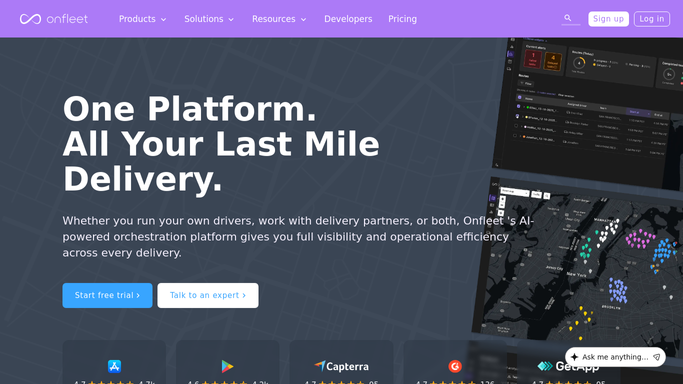
Auto-Dispatch and Route Optimization solve the road, not the account
What Onfleet does inside its own boundary it does properly, and none of it should be replaced.
Route Optimization plans routes with traffic, delivery windows and customer preferences taken into account, and adapts when the day changes. Auto-Dispatch assigns on-demand orders automatically using driver proximity, current route workload and the delivery window, so a dispatcher is not making that call by hand at eleven in the morning. Hybrid Fleet Dispatch sends overflow to external delivery partners or to Onfleet's own courier network while keeping every task in one view.
Real-Time Tracking and Predictive ETAs with delay alerts show what is going wrong before the recipient calls. Automated Notifications tell the recipient the driver is close, and a live tracking page shows them where. Proof of Delivery captures the photograph and the signature. Driver Chat keeps that conversation off personal phones. Unified Performance Analytics reports on all of it.
Notice the shape of that list. Every item concerns the driver, the route or the recipient. The client who shipped the parcel appears nowhere in it, and the client's own systems are where the day gets billed, reported and disputed.
The client's own portal is where a delivery gets settled
A courier's day has a person at each end of it, and both ends run on the client's own software. Neither end has to stay that way.
Tomorrow's orders read off each client's dashboard or portal the evening before and turned into Onfleet tasks, including for the clients whose systems have no export and never will. Deliveries marked complete in a client's vendor portal as they finish, because for some accounts that tick is what triggers the invoice.
Weekly performance reports built per client in the format each one insists on, from Onfleet's own numbers, rather than a coordinator rebuilding the same table five ways every Monday. Proof of delivery retrieved and attached to a claim when a client disputes a parcel, which is usually a photograph that already exists and simply needs finding. Driver insurance certificates and background check statuses re-checked on the vendor's site before a shift starts. Cash on delivery totals compared with what the bank shows, per driver, while the day is still fresh.
Draw the line at the recipient. Reading a portal, filing a report and reconciling a number can run unattended. Anything that messages the person waiting at home should be prepared and read first, because a wrong delivery text lands in a review of your client's brand as well as your own.
Nobody built a courier business on data entry
The margin in delivery is thin enough without a coordinator retyping manifests into one system and results back out into five others.
WebRun is an AI agent that works a real Chrome browser, signed in as you. It opens the client's dashboard, the vendor portal, the compliance site or the bank, reads what is there, and moves it into or out of Onfleet so both sides of the account agree.
It runs on your schedule in your own private environment, and you can watch a run and stop it. Anything a recipient would see is drafted and waits for a person.
The workflows below are already built, and each one names what it signs into.
Questions people ask
Can it create Onfleet tasks from a client's system?
Yes. It opens the client's dashboard or portal, reads tomorrow's orders and creates the tasks, which is the usual answer for accounts whose systems offer no export and no API.
Do we still need the Onfleet API or a developer?
No. It drives a browser signed in as you rather than calling an API, so it also works with client systems that have no API at all. Keep the Onfleet API for whatever it already does.
Will it notify recipients when a delivery runs late?
It drafts the notification and leaves it. Onfleet's own Automated Notifications should carry routine ETA messages. Anything about a delivery going wrong reflects on your client's brand, so a person sends it.
20 ready-made Onfleet workflows
Each one names the apps it touches and the exact steps it takes. Open one to read what it will do, then turn it on.






Want one of these running on your own Onfleet?
Show WebRun the process once and it will run it on schedule, in your own private browser environment.