Collect and log proof-of-delivery records before your clients ask for them
Every morning, WebRun opens Onfleet, reviews all tasks completed the prior day, identifies any that are missing required proof of delivery such as a photo or signature, and logs each gap with driver name and stop details to a Google Sheet so your ops team has a ready reference for client queries.
- No credit card
- Under $0.01 per run
- Cancel anytime
What does WebRun do on every run?
The exact actions WebRun takes, in order - in plain language, so you can adjust anything.
-
WebRun signs in and gets to work
Opens
onfleet.com/dashboardin a real browser with your saved login - no setup, no API keys. -
1
Onfleet - find completed tasks missing POD
onfleet.com How to Automate Onfleet

WebRun opens Onfleet to find completed tasks missing POD. - Open Onfleet and filter completed tasks from the prior day
- For each task, check whether the required proof of delivery type, photo or signature, is attached
- Capture task ID, driver name, recipient, address, and the missing POD type for each gap
Done when Every completed task from yesterday is checked and gaps are listed.
-
2
Google Sheets - log POD gaps for ops review
google.com How to Automate Google Sheets
WebRun opens Google Sheets to log POD gaps for ops review. - Open the POD tracking Google Sheet
- Append a row for each task with missing proof, including date, driver, stop, and gap type
- Mark rows added today so ops can filter to the current day's gaps easily
Done when All POD gaps from yesterday are logged in the Sheet with full task detail.
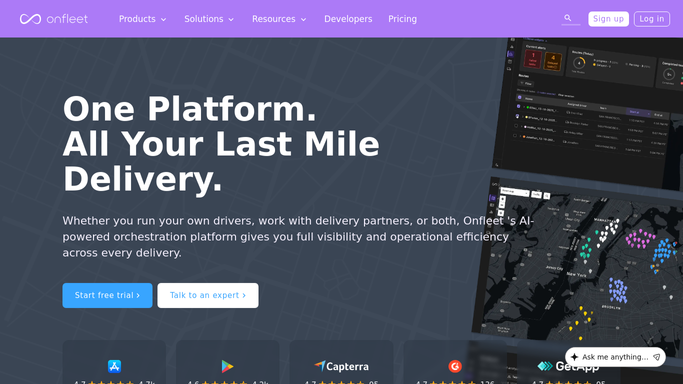

How do I automatically track which Onfleet deliveries are missing proof of delivery?
WebRun scans Onfleet every morning for completed deliveries missing required proof such as a photo or signature, then logs every gap to a Google Sheet with driver name, stop detail, and gap type. Ops teams get a ready reference each day, so missing proof is chased before clients raise disputes.
- POD gaps caught daily before clients raise disputes
- Running Sheet log lets ops filter and chase gaps by driver
- No manual Onfleet audit needed - missing proof surfaces automatically
Built for last mile delivery operators · courier companies · logistics managers · e-commerce fulfillment teams
How is each run configured?
Secure by default
Connect once, stays signed in
WebRun signs in once and keeps each session in a persistent environment, so every run picks up right where it left off.
Every action is checked against this policy before it runs.
Questions, answered
Does it contact the driver to request the missing proof?
No. Any driver-facing message is drafted for a manager to review before sending. The Google Sheet log is internal only, giving your ops team the information to follow up in whichever channel they prefer.
What types of proof of delivery does it check for?
It checks for the POD types configured in Onfleet for each task, which can include photos, contactless signatures, barcodes, or age verification. The gap is flagged whenever the required type is absent on a completed task.
What if a driver adds the proof after the task is marked complete?
The morning run reads live Onfleet data, so if a driver submitted proof late the previous evening and it is attached before the run fires, that task will not appear as a gap.
Related templates
Put this on autopilot.
Turn it on in minutes - or have our team set it up for you.