Review which devices can still read your teams
Every Monday, WebRun signs into Keybase, lists the devices and paper keys attached to your account, checks the identity proofs still published, reviews who is a member of each team, posts the audit to Microsoft Teams, and blocks review time in Google Calendar to confirm or revoke.
- No credit card
- Under $0.01 per run
- Cancel anytime
How do I review which devices still have access to my Keybase teams?
Every Monday, WebRun signs into Keybase, lists the devices and paper keys attached to your account, and checks who is still a member of each team. It posts the audit to Microsoft Teams and blocks review time in Google Calendar, so an old laptop never keeps access to a private team.
- An old laptop stops keeping quiet access to a private team
- New devices and members surface the Monday after they appear
- The audit format never changes, so a difference is obvious in seconds
Built for security-conscious teams · team admins · open source projects · distributed engineering teams
What does WebRun do on every run?
The exact actions WebRun takes, in order - in plain language, so you can adjust anything.
-
WebRun signs in and gets to work
Opens
keybase.ioin a real browser with your saved login - no setup, no API keys. -
1
Keybase - list devices, keys, and members
keybase.io
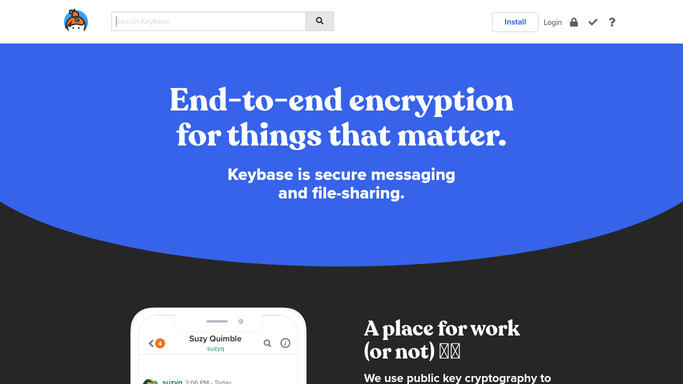
WebRun opens Keybase to list devices, keys, and members. - Sign into Keybase and list every device attached to the account with its name and type
- List the paper keys that exist and when each was created
- Open each team and record the current members and their roles
- Read the identity proofs still published on the account
- Compare against last week and mark anything new or unfamiliar
Done when Every device, paper key, team member, and proof is listed with what changed since last week.
-
2
Microsoft Teams - post the security audit
microsoft.com How to Automate Microsoft Teams

WebRun opens Microsoft Teams to post the security audit. - Post the audit to your security channel in Microsoft Teams
- Put anything new since last week at the top: a new device, a new paper key, a new team member
- List devices you have not confirmed in previous audits as candidates to revoke
- Keep the format identical each week so a change stands out immediately
Done when The security channel has this week's audit with the changes at the top.
-
3
Google Calendar - hold time to confirm or revoke
calendar.google.com How to Automate Google Calendar

WebRun opens Google Calendar to hold time to confirm or revoke. - Add a short private review block to your own Google Calendar when anything changed
- Name the change in the event title so it is clear before you open it
- Leave the event with no attendees. WebRun never sends a calendar invite
- Leave revoking a device, deleting a paper key, or removing a member to a person. WebRun never revokes anything
Done when A private review block exists for any week where something changed.
How is each run configured?
Secure by default
Connect once, stays signed in
WebRun signs in once and keeps each session in a persistent environment, so every run picks up right where it left off.
Every action is checked against this policy before it runs.
Questions, answered
Will it revoke a device or remove a team member?
No. WebRun only reads and reports. Revoking a device, deleting a paper key, or removing someone from a team stays a human decision, so nobody is locked out of a team by an automated run.
Does it read the contents of my chats?
No. The audit covers account structure only: devices, paper keys, identity proofs, and team membership. Message contents are never read, copied, or posted anywhere.
How does it know what changed?
It compares this week's list against the previous audit and puts anything new or missing at the top, so a device added on Wednesday is visible the following Monday rather than months later.
Related templates
Put this on autopilot.
Turn it on in minutes - or have our team set it up for you.