Review plugin updates and security warnings before your maintenance window
Every Monday, WebRun opens jenkins.io, reads the security advisories and release news published there, matches them against the plugin list and controller version your team runs, posts the risks to Slack ranked by severity, and drafts a Gmail brief for the next maintenance window.
- No credit card
- Under $0.01 per run
- Cancel anytime
How do I review Jenkins plugin security warnings before a maintenance window?
Every Monday WebRun opens jenkins.io, reads the security advisories and release news published there, and matches them against the plugins and controller version your team runs. It posts the risks to Slack and drafts a Gmail brief for your maintenance window, so security warnings do not sit for months.
- Advisories are matched to your plugin list every Monday, not once a year
- The maintenance window opens with a ranked list and a reason for each update
- Nothing is installed or restarted without an engineer doing it
Built for build engineers · DevOps teams · platform engineers · release managers
What does WebRun do on every run?
The exact actions WebRun takes, in order - in plain language, so you can adjust anything.
-
WebRun signs in and gets to work
Opens
www.jenkins.ioin a real browser with your saved login - no setup, no API keys. -
1
Jenkins - read advisories and release news
jenkins.io
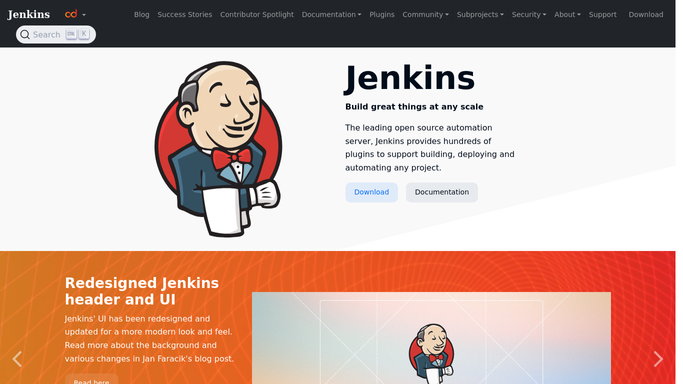
WebRun opens Jenkins to read advisories and release news. - Open jenkins.io and read the security advisories published since the previous run
- Read the current release information for the controller line your team follows
- Match each advisory against the plugin list you gave WebRun for your controller
- Record the affected plugin, the severity stated in the advisory, and the version that resolves it
Done when Every advisory touching a plugin you run is captured with its severity and its fixed version.
-
2
Slack - post the ranked risks
slack.com How to Automate Slack

WebRun opens Slack to post the ranked risks. - Post the week's findings to your build channel with the highest severity first
- Show for each plugin the version you run, the version that resolves the advisory, and what the advisory says it affects
- Call out separately whether the controller version itself has moved
- Stay quiet in weeks with no advisory touching your plugin list
Done when The build channel has this week's ranked list of plugins worth updating.
-
3
Gmail - draft the maintenance brief
gmail.com How to Automate Gmail

WebRun opens Gmail to draft the maintenance brief. - Compose a maintenance window brief listing each plugin to update, its target version, and the reason
- Add the jobs your team flagged as most likely to be affected by each update
- Leave the brief in Drafts. WebRun never emails the team and never touches your controller or its plugins
Done when A maintenance brief is waiting in Gmail drafts for the build engineer to review and send.
How is each run configured?
Secure by default
Connect once, stays signed in
WebRun signs in once and keeps each session in a persistent environment, so every run picks up right where it left off.
Every action is checked against this policy before it runs.
Questions, answered
Will it install a plugin update?
No. WebRun reads published advisories and reports them. Updating a plugin, restarting a controller, or upgrading a version stays with your build engineer, and shell commands are blocked by the policy.
Will it email the team on its own?
No. The maintenance brief is left unsent in Gmail drafts. You read it, adjust the plan, and send it when the window is agreed.
How does it know which plugins I run?
You give WebRun your plugin list and controller version once, and every run matches new advisories against it, so the Slack post only names plugins you actually have.
Related templates
Put this on autopilot.
Turn it on in minutes - or have our team set it up for you.