Remind clients about IP services agreements coming up for renewal
Every morning, WebRun checks Anaqua AQX for client services agreements expiring within 60 days, verifies the current document status in DocuSign, drafts a renewal reminder email for the responsible partner in Gmail Drafts, and adds a Google Calendar reminder so the renewal date is never invisible. All client emails await partner review before sending.
- No credit card
- Under $0.01 per run
- Cancel anytime
How do I automatically track and remind partners about expiring IP services agreements?
Every morning, WebRun checks Anaqua AQX for IP services agreements expiring within 60 days, confirms each agreement's status in DocuSign, drafts a renewal reminder email for the responsible partner in Gmail Drafts, and adds a Google Calendar reminder 14 days before each expiry. No email is sent to a client without partner review and approval.
- No services agreement lapses without a 60-day advance warning to the responsible partner
- Partners open Gmail to a polished renewal draft rather than writing from scratch
- Google Calendar blocks ensure the renewal date stays visible even when Anaqua is closed
Built for IP law firm partners · IP firm client relationship managers · patent firm administrators · IP practice group heads
What does WebRun do on every run?
The exact actions WebRun takes, in order - in plain language, so you can adjust anything.
-
WebRun signs in and gets to work
Opens
www.anaqua.com/aqx-law-firmin a real browser with your saved login - no setup, no API keys. -
1
Anaqua AQX - find services agreements expiring within 60 days
anaqua.com How to Automate Anaqua AQX
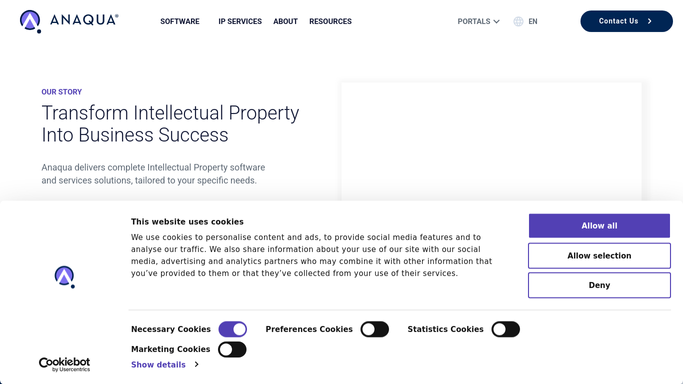
WebRun opens Anaqua AQX to find services agreements expiring within 60 days. - Open Anaqua AQX and search client records for services agreement expiry dates within 60 days
- Capture the client name, agreement type, expiry date, responsible partner, and annual value
- Check whether a renewal discussion has already been logged in the matter notes
- Exclude agreements already marked as renewed or terminated
Done when All services agreements expiring within 60 days are listed with client and partner details.
-
2
DocuSign - check current agreement document status
docusign.com How to Automate DocuSign

WebRun opens DocuSign to check current agreement document status. - Search DocuSign for the current signed agreement envelope for each expiring client
- Read the original execution date and expiry clause from the envelope metadata
- Note whether a renewal envelope has already been prepared or sent
- Flag any agreement where the DocuSign record does not match the Anaqua expiry date
Done when DocuSign status and agreement details are confirmed for each expiring client.
-
3
Google Calendar - add renewal reminder to the partner's calendar
calendar.google.com How to Automate Google Calendar

WebRun opens Google Calendar to add renewal reminder to the partner's calendar. - Check the responsible partner's Google Calendar for a renewal event on or before the expiry date
- If no event exists, add a calendar reminder 14 days before the expiry date
- Title the event with the client name and agreement type so it is immediately identifiable
Done when Every uncovered renewal has a Google Calendar reminder 14 days before expiry.
How is each run configured?
Secure by default
Connect once, stays signed in
WebRun signs in once and keeps each session in a persistent environment, so every run picks up right where it left off.
Every action is checked against this policy before it runs.
Questions, answered
Will it send renewal emails to clients without partner approval?
No. Every renewal reminder is left as an unsent Gmail draft for the responsible partner to review and personalise. No client receives a message without partner sign-off.
Does it send a new DocuSign envelope for the renewal automatically?
No. WebRun checks the existing DocuSign agreement and reports its status. Preparing and sending a renewal envelope is a deliberate partner action done after reviewing the draft reminder.
What if a client's agreement has already been renewed informally?
If the partner has updated the expiry date in Anaqua AQX or DocuSign, WebRun reads the current record and skips the agreement. Keep Anaqua records current to avoid unnecessary reminders.
Related templates
Put this on autopilot.
Turn it on in minutes - or have our team set it up for you.