Turn logged interpreting hours into ready-to-send invoices
Every Monday, WebRun opens Interpreter.io, gathers last week's completed court assignments with confirmed hours and rates, and builds a matching draft invoice in QuickBooks for each requesting agency, itemized by session, for your bookkeeper to review and send.
- No credit card
- Under $0.01 per run
- Cancel anytime
What does WebRun do on every run?
The exact actions WebRun takes, in order - in plain language, so you can adjust anything.
-
WebRun signs in and gets to work
Opens
interpreter.ioin a real browser with your saved login - no setup, no API keys. -
1
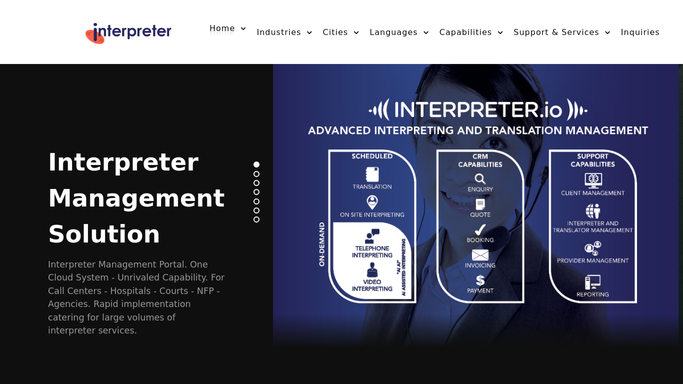
Interpreter.io - gather completed assignment hours
interpreter.io How to Automate Interpreter.io

WebRun opens Interpreter.io to gather completed assignment hours. - Open Interpreter.io and filter to completed assignments from the past week with confirmed hours
- For each, capture the requesting agency, court, language, date, hours, and applicable rate
- Add any travel, mileage, or minimum-booking charges recorded on the job
- Group the sessions by requesting agency for invoicing
Done when Every billable completed assignment is captured and grouped by agency with its hours and charges.
-
2
QuickBooks - build itemized draft invoices
- Open QuickBooks and start a draft invoice for each requesting agency
- Add a line per session with the court, date, language, hours, and rate
- Include travel and any additional charges, and apply the agency's agreed terms
- Leave every invoice as an unsent draft for your bookkeeper to review, adjust, and send. Do not send or finalize any invoice automatically.
Done when A draft invoice exists in QuickBooks for each agency, itemized and awaiting review.
How do I invoice interpreting agencies from logged assignment hours?
WebRun gathers last week's completed court assignments and their confirmed hours in Interpreter.io every Monday, then builds a matching draft invoice in QuickBooks for each requesting agency, itemized by session with rates and travel charges. Your bookkeeper reviews and sends each one, so billing goes out accurate and on time without anything being finalized unattended.
- Invoices are drafted every week from confirmed hours, not built by hand
- Each invoice is itemized by session and grouped by agency
- Unconfirmed sessions are excluded so nothing bills on an unverified figure
Built for court interpreting agencies · language service providers · bookkeepers · interpreting billing teams
How is each run configured?
Secure by default
Connect once, stays signed in
WebRun signs in once and keeps each session in a persistent environment, so every run picks up right where it left off.
Every action is checked against this policy before it runs.
Questions, answered
Will it send invoices to agencies without me?
No. Every invoice is built as an unsent QuickBooks draft for your bookkeeper to review and send. Nothing is finalized or billed without human approval.
How does it calculate each invoice?
It reads the confirmed hours and rate for each completed assignment in Interpreter.io, adds any travel or minimum-booking charges, groups sessions by agency, and itemizes them line by line in QuickBooks.
What about sessions with unconfirmed hours?
It only invoices assignments whose hours are confirmed in Interpreter.io. Sessions still missing signed hours are left out so nothing is billed on an unverified figure.
Related templates
Put this on autopilot.
Turn it on in minutes - or have our team set it up for you.