Catch Holded payment mismatches early
Every morning, WebRun opens Holded, compares invoice status against recorded payments, and logs any mismatch, a payment with no invoice marked paid, or an invoice marked paid with no matching payment, into an Airtable reconciliation log. When a mismatch needs the client's confirmation, WebRun drafts a Gmail note to query it rather than sending it automatically.
- No credit card
- Under $0.01 per run
- Cancel anytime
How do I catch Holded payment mismatches before they pile up?
WebRun compares Holded invoice status against recorded payments every morning and logs any mismatch, an unmatched payment or an invoice marked paid without one, to an Airtable reconciliation log. When a mismatch needs the client's input, it drafts a Gmail note to ask, leaving it for you to review before sending.
- Payment mismatches get caught the next morning instead of at month end
- Every open mismatch has one Airtable record instead of a scattered search
- Client queries are drafted and ready, not written from scratch each time
Built for Small business owners · bookkeepers · accountants · office managers
What does WebRun do on every run?
The exact actions WebRun takes, in order - in plain language, so you can adjust anything.
-
WebRun signs in and gets to work
Opens
app.holded.comin a real browser with your saved login - no setup, no API keys. -
1
Holded - compare invoices against payments
holded.com
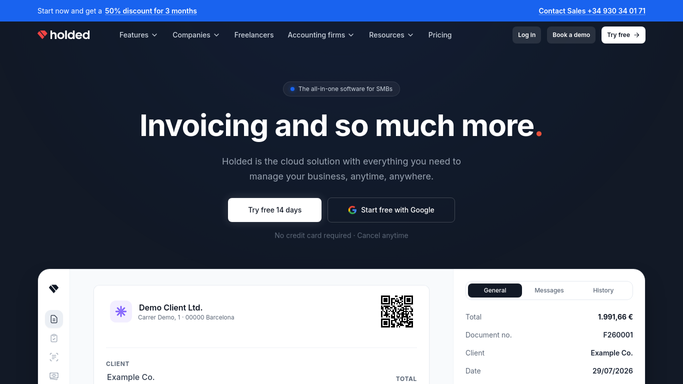
WebRun opens Holded to compare invoices against payments. - Open Holded and pull invoice status alongside recorded payments
- Compare the two lists for anything that does not match
- Note the invoice number, customer, and the type of mismatch
Done when Every invoice and payment has been checked against the other.
-
2
Airtable - log every mismatch
airtable.com How to Automate Airtable

WebRun opens Airtable to log every mismatch. - Log each mismatch to the reconciliation base with its likely cause
- Mark whether it needs a client query or just an internal fix
- Carry unresolved items forward until they are cleared
Done when The Airtable log reflects every open mismatch for the day.
-
3
Gmail - draft a client query
gmail.com How to Automate Gmail

WebRun opens Gmail to draft a client query. - Draft a short, clear note for any mismatch that needs the client's confirmation
- Reference the invoice number and the specific discrepancy
- Leave it as a draft in Gmail for you to review and send
Done when Every client facing mismatch has a drafted query waiting for review.
How is each run configured?
Secure by default
Connect once, stays signed in
WebRun signs in once and keeps each session in a persistent environment, so every run picks up right where it left off.
Every action is checked against this policy before it runs.
Questions, answered
Will it email a client without me?
No. Any query about a payment mismatch is drafted in Gmail and left for you to review and send. WebRun never contacts a client on its own.
Does it change anything in Holded?
No. It only reads invoice and payment data and logs what it finds. Marking an invoice paid or writing off a balance stays your decision inside Holded.
What counts as a mismatch?
A payment recorded with no matching invoice marked paid, or an invoice marked paid with no payment on record, either direction gets logged.
Related templates
Put this on autopilot.
Turn it on in minutes - or have our team set it up for you.