Draft timed-entry ticket confirmation emails for every buyer
Whenever a new FEARTICKET order comes in, WebRun reads the guest name, ticket type, and assigned time slot, drafts a friendly confirmation email that spells out the arrival window, check-in steps, and parking, saves it as a Gmail draft, and posts your box office a Slack note that a batch is ready to send.
- No credit card
- Under $0.01 per run
- Cancel anytime
How do I automatically draft timed-entry ticket confirmation emails?
WebRun watches your FEARTICKET orders and, for each new paid ticket, reads the buyer, ticket type, and assigned time slot, then drafts a clear confirmation email in Gmail with the arrival window, check-in steps, and parking. Every draft waits for your box office to review and send, so no wrong detail reaches a guest.
- Every buyer gets a confirmation with their exact arrival window, not a generic receipt
- Box office approves a ready batch in minutes instead of typing each email
- No confirmation reaches a guest without a human check on the time slot
Built for haunted attraction owners · box office managers · Halloween event operators · haunted house teams
What does WebRun do on every run?
The exact actions WebRun takes, in order - in plain language, so you can adjust anything.
-
WebRun signs in and gets to work
Opens
www.fearticket.comin a real browser with your saved login - no setup, no API keys. -
1
FEARTICKET - read new orders and time slots
fearticket.com How to Automate FEARTICKET
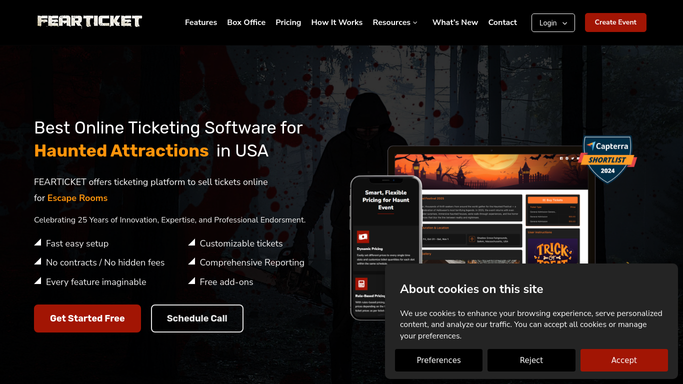
WebRun opens FEARTICKET to read new orders and their entry windows. - Open FEARTICKET and go to the orders list for tonight and upcoming nights
- For each new paid order, capture the buyer name, email, ticket type, quantity, and assigned entry time slot
- Note any add-ons such as Fast Pass or parking so the email reflects exactly what was bought
- Skip orders that already have a confirmation drafted this run
Done when Every new paid order has its buyer, ticket type, and entry window captured.
-
2
Gmail - draft the confirmation email
gmail.com How to Automate Gmail

WebRun drafts each confirmation email and leaves it unsent in Gmail. - Draft a warm, on-brand confirmation email for each order addressed to the buyer
- State the event date, the exact arrival window for their time slot, and where to check in
- Include parking directions, the age policy line, and a reminder to bring their ticket QR code
- Save every message as a Gmail draft. Do not send any confirmation to a guest automatically
Done when A Gmail draft exists for every new order, unsent and waiting for box-office review.
-
3
Slack - tell the box office drafts are ready
slack.com How to Automate Slack

WebRun posts the box office a Slack note that drafts are ready. - Post a short note to the box-office Slack channel that a new batch of confirmation drafts is ready
- Include the count of drafts prepared and the nights they cover
Done when The box office is notified in Slack that confirmation drafts are ready to review.
How is each run configured?
Secure by default
Connect once, stays signed in
WebRun signs in once and keeps each session in a persistent environment, so every run picks up right where it left off.
Every action is checked against this policy before it runs.
Questions, answered
Will it email confirmations to guests without me?
No. Every confirmation is saved as a Gmail draft and waits for your box office to review and send. Nothing reaches a guest until a person approves it, so a wrong time slot or typo never goes out on its own.
Does the email show the right arrival window for each ticket?
Yes. WebRun reads the exact time slot assigned to each FEARTICKET order and writes that arrival window into the draft, so a 7:30 guest and a 9:00 guest each get their own correct window.
What about add-ons like Fast Pass or parking?
WebRun captures each order's add-ons in FEARTICKET and reflects them in the draft, so a buyer who added Fast Pass or parking sees those details spelled out in their confirmation.
Related templates
Put this on autopilot.
Turn it on in minutes - or have our team set it up for you.