Track cabin turnover and housekeeping status every morning
Each morning, WebRun opens Flybook, reads today's check-outs and same-day check-ins, builds a cabin turnover board in Google Sheets flagging which cabins must be cleaned before arrival, and posts a prioritized status to Telegram so housekeeping knows exactly what to turn first.
- No credit card
- Under $0.01 per run
- Cancel anytime
How do I automatically track cabin turnover and housekeeping status?
Each morning WebRun opens Flybook, reads today's check-outs and same-day check-ins, and builds a cabin turnover board in Google Sheets flagging which cabins need cleaning before arrival. It posts a prioritized status to Telegram, listing the tightest same-day turns first by arrival time, so housekeeping always knows exactly which cabin to turn next.
- Housekeeping sees the tightest same-day turns first every morning
- No cabin is missed before a same-day arrival checks in
- The board rebuilds from live Flybook data so changes are reflected fast
Built for guest ranch owners · housekeeping managers · ranch operations teams · lodging operators
What does WebRun do on every run?
The exact actions WebRun takes, in order - in plain language, so you can adjust anything.
-
WebRun signs in and gets to work
Opens
theflybook.comin a real browser with your saved login - no setup, no API keys. -
1
Flybook - read check-outs and check-ins
theflybook.com How to Automate Flybook
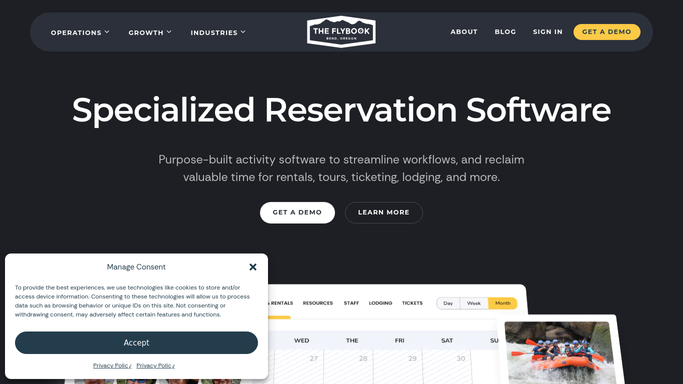
WebRun opens Flybook to read check-outs and check-ins. - Open Flybook and list every cabin checking out today
- List every cabin with a check-in arriving today
- Flag same-day turnovers where a cabin empties and refills on the same date
- Note arrival times so the tightest turnovers can be ordered first
Done when Today's check-outs, check-ins, and same-day turnovers are all listed by cabin.
-
2
Google Sheets - build the turnover board
google.com How to Automate Google Sheets

WebRun builds the cabin turnover board in Google Sheets. - Open the Cabin Turnover board sheet
- List each cabin with its status: departing, arriving, same-day turn, or stay-over
- Mark cabins needing a clean before arrival and rank same-day turns by arrival time
- Clear yesterday's rows so the board shows only today
Done when The board shows every cabin's turnover status for today, ranked by urgency.
-
3
Telegram - post the housekeeping status
telegram.org How to Automate Telegram

WebRun posts the housekeeping status to Telegram. - Post a housekeeping summary to the Telegram group
- List the same-day turnovers first with cabin, arrival time, and any notes
- Then list standard departures and stay-overs that need a refresh
- Link to the full turnover board for the complete picture
Done when Housekeeping has today's prioritized turnover status in Telegram with a link to the board.
How is each run configured?
Secure by default
Connect once, stays signed in
WebRun signs in once and keeps each session in a persistent environment, so every run picks up right where it left off.
Every action is checked against this policy before it runs.
Questions, answered
Does it message guests or only my housekeeping team?
Only your team. The Telegram status is an internal housekeeping digest and posts automatically. WebRun never contacts guests in this workflow; it simply tells staff which cabins to turn first.
How does it know which cabins are the tightest turns?
It reads today's check-outs and same-day check-ins from Flybook and ranks by arrival time, so a cabin emptying at 10am and refilling at 2pm is surfaced ahead of a routine departure with no one arriving.
What if a booking changes during the day?
It reads the live schedule in Flybook on each run, so a same-day change to an arrival or departure is reflected the next time it builds the board, keeping the housekeeping order accurate.
Related templates
Put this on autopilot.
Turn it on in minutes - or have our team set it up for you.